Key Takeaways — brief reading, less than 30 seconds
- Most DAM buyer’s guides are written by DAM vendors. The structure repeats: a generic definition, a feature checklist, a vendor list with the publisher first, and an unsourced productivity statistic. Read four in a row and the pattern is hard to miss.
- Pick the workflow before you pick the feature list. Every DAM has metadata, search, and sharing. Comparison matrices that score those rows make every vendor look the same and produce a buying decision based on the longest checklist.
- Five questions decide the pick: how do files get in, how do people find them, how do they get reviewed, how do they get delivered externally, and what happens after the project ends. Ask the awkward version of each in the demo.
- Pricing transparency tells you a lot about vendor culture. A DAM that publishes prices lets you self-qualify. A DAM that hides every number behind “contact sales” lets the rep set the price after he’s learned what you can spend.
- Pricing models hide where your costs scale. Per-user breaks when you add freelancers; per-storage breaks when video lands; per-asset breaks when one hero shot spawns 200 derivatives. Match the model to the axis your library actually grows on, not the one the vendor optimises for.
- A DAM is software you tolerate, not software you love. The trial that earns the buying decision uses your digital assets, your team, and one real project end to end — push hard on the boring parts (second uploads, bad searches, recovery from a mistake) to find the friction you can still tolerate after the novelty wears off.
- Migration scoping is honesty work. Most teams, when they actually look, find well under half their library worth migrating. Don’t move everything.
- Weight the five questions, score each platform 1–5, multiply, sum. The platform with the highest score wins — not the one with the longest feature list.
Glossary9 terms
- DAM: Digital Asset Management. The system that stores, organises, and shares creative files — photos, videos, design files, documents — with metadata, search, and access control on top of the storage layer.
- Metadata schema: The list of fields you capture per asset (campaign, channel, rights, owner, status, custom). The schema is the part you have to design; the DAM’s job is to enforce it at upload.
- Taxonomy: How the metadata schema maps to a controlled vocabulary — the picklists, tag hierarchies, and category structures that keep the same concept named the same way across the library.
- SSO / SCIM: Single Sign-On (SAML 2.0, OIDC) and System for Cross-domain Identity Management. Authentication and provisioning standards. Most enterprise DAMs gate these features to a higher tier; we don’t.
- SSO tax: The industry pattern of gating SSO and SCIM behind an enterprise-only tier priced for an organisation 5× the buyer’s headcount. SAML 2.0 and SCIM are not technically expensive features; the gate is a pricing lever. Smaller teams either pay the upgrade or run a parallel directory that breaks the moment someone leaves the company.
- White-labelling: A branded portal whose URL, logo, and visual design belong to your brand rather than the DAM vendor’s. The portal looks like you, not like a third-party tool.
- Asset lifecycle: The stages a file moves through — brief, draft, approval, delivery, archive, expiry. The DAM’s job is to know which stage each asset is in and route it accordingly.
- Per-recipient watermark: A watermark rendered with the recipient’s name or email at share time. Different from a workspace-wide visible watermark; useful when leak-tracing matters.
- TCO (Total Cost of Ownership): Licence + storage + integration build + migration + training + the “we needed the next tier” surprise. Year 1 spend routinely runs well above the sticker licence price.
Editor's note: We build a DAM. We already wrote the foundational What Is Digital Asset Management? piece — that one defines the terms and answers “do I need one”. This is the buying-process companion: opinionated, named names, and honest about where YetOnePro fits and where it doesn’t.
Buying a DAM is like buying a car. The lot is full of categories — vintage classics, muscle cars, off-roaders, luxury saloons, family SUVs — and not all of them are right for the school run. You can pick the one that looked best on the forecourt, or you can pick the one that fits the way you live: the daily commute, the long weekend in the mountains, the trip with three kids and a dog.
The DAM market is no different. It’s crowded at every price point and every level of complexity. Some platforms are overkill for a small team. Some lock you in once you’ve moved your library across, and walking back out is its own project. The discipline that works for a car works here too: list the features you’ll genuinely use, separate the must-haves from the nice-to-haves, and look at the price tag last.
What you’re actually choosing is a digital asset management system — the central place where your team’s digital assets live, get found, get reviewed, and get sent out. A modern DAM system isn’t just storage. It handles digital files, video assets, and audio files together; on top of that sit metadata management, version control, and the creative software integrations your team already lives in (Adobe Creative Cloud, Figma, Slack). The DAM solution that fits is the one that holds brand consistency across channels without you policing it, supports the brand management work behind that consistency, and treats your digital content as a library rather than a folder dump. Choose well and the system disappears into the workflow. Choose badly and it becomes a chore the team works around.
This article is here to help you make that call — assuming a DAM is the right category in the first place; if you’re still weighing it against a MAM or PAM, start there. We’re a DAM vendor too, which makes us biased — and we’ll say so up front. We’d rather you pick the right tool for your team than the wrong one with our logo on it.

The Buyer’s-Guide Trap#
Most DAM buyer’s guides are written by DAM vendors. The vendor with the longest feature list wins by SEO; the buyer who picks them is locked into an enterprise contract running a workflow that should have fit in a mid-market tool. Read enough of them and the patterns get loud: a generic “what is a DAM” section nobody needs, a feature checklist where every vendor checks every box, an unsourced productivity statistic (“teams without a DAM waste 20–30% of their time on asset-related tasks” turns up in nearly every guide we found, attributed, in each case, to nothing).
The useful answers are harder to find. Pricing is missing or hidden behind a sales call. The trial methodology is “upload some files and have a play.” The migration plan is one paragraph. The vendor list at the bottom is in alphabetical order with the publisher’s product, by coincidence, in first position. We didn’t put a vendor list in this article either, but we did write the generic “what is a DAM” piece — that’s where the candidate field lives, with YetOnePro on the comparison table marked × where we fall short of the others.
We’re writing this guide the way we think about the choice when we’re losing one to a competitor: which questions did the buyer ask, which did they skip, and which one would have flipped the call. Most of those questions don’t live in any feature matrix.
Start with Your Workflow, Not a Feature List#
Every DAM has metadata, search, permissions, and sharing. They all check the boxes. Comparison matrices that score this layer make every vendor look the same and produce a buying decision based on either the longest checklist or the loudest sales rep.
The exercise that works instead is mapping the workflow you already have. Sit with the people who’ll use the DAM and walk through one project end to end. A campaign, a product launch, a quarterly creative refresh — pick a real one. Note who creates the file, who reviews it, who approves it, where it gets stuck, who ships it externally, and what happens to it after the project closes. You will find at least three places where the file moves into and out of someone’s personal drive, where the version count goes from clean to chaotic, where the approver is named in two channels. Those are the places a DAM has to fix. A feature that doesn’t speak to one of those places isn’t worth scoring.
The other reason to start with workflow is that it tells you what to watch for in the price. A three-person studio shipping 30 campaigns a year needs the same core capabilities as a brand running 2,000 product variants across a partner network — version control, approvals, client portals, audit trails, decent permissions. The difference is volume, not feature scope, and any vendor that ships SSO, custom roles, or analytics only in an Enterprise tier is selling the smaller team a worse product on principle. Watch the shape of the meter instead. Per-user models punish you the moment you invite freelancers or agency partners. Per-asset models punish you the moment a hero shot spawns 200 derivatives. Storage overages on tight tiers punish you the moment a single video project lands (yes, that one includes us — storage is the one cost in a DAM that’s actually real, so it’s the one thing we meter). The workflow tells you where your real cost will live — usually storage and the number of people doing work — and that’s the only thing a fair vendor should charge for.
The Five Questions That Decide the Pick#
Once you have the workflow, evaluation reduces to five questions.
1. How do files get in?#
Ask the vendor to ingest 200 of your digital assets through the web UI, then again through the API. Same files both times. Watch what gets carried across and what doesn’t — embedded metadata, EXIF, folder structure. Every DAM has a drag-and-drop uploader; that’s not the test. Bulk-import a real folder of yours, messy filenames and all, and see what the search box can find afterwards. If auto-tagging draws a blank on them, you can skip the rest of the demo. Integrations matter here too: how the DAM integrates with Adobe Creative Cloud, Figma, your CMS, and your import API tells you whether the system fits your existing creative software stack.
2. How do people find what they need?#
Ask: “Find me something I uploaded six months ago using only what my team would remember about it.” Bad answer: “You can search by filename or tag.” Test yourself: upload your real digital assets (the unlabelled ones, the near-duplicates) and try to find the file your designer remembers as “the orange-sky one from the Q3 holiday campaign” without remembering what folder it’s in. No DAM accepts that sentence as a query. What a good one lets you do is stack a campaign filter (a custom field), a date range, and a colour or scene tag (AI-inferred or manually added) until the result set is small enough to scan. The answer involves metadata management, AI tagging, custom fields, and how well the search ranks results across them. We covered the AI half in AI Image Tagging: it catches some queries and falls over on others. The DAM’s job is to make the metadata layer carry the memory the user has but the AI can’t infer.
3. How do files get reviewed and approved?#
Approval workflows, version control, and routing automation are where every DAM looks fine in the demo and falls apart on the second round. Upload a draft, route it to two reviewers in parallel, have one approve and one request changes, then upload v2. Watch v1’s feedback. The DAM either keeps it pinned to v1 or quietly loses it. Version control is what should make this trivial; weak DAMs treat each upload as a new file and let the conversation history disappear. The vendor question to ask: “Show me round 3 of a campaign with two competing approvers and a legal hold.” If they stumble on that, you already know.
4. How do files get delivered externally?#
Ask: “Build me a branded portal for one specific client, share three approved assets, and revoke access to one of them after they’ve downloaded it.” Bad answer: “You can generate a share link.” Test yourself: the portal should look like your brand, not the vendor’s — brand consistency on every outbound piece depends on it. Check download tracking, link expiration, watermark options, password protection, and per-recipient access controls. Then revoke a link after a download and check whether the digital asset is still cached in the recipient’s browser or already synced to their team’s Dropbox.
5. What happens after the project ends?#
Most vendors hate this question. Ask: “What does a digital asset with an expired stock licence look like in your system?” Then find out yourself: set a date-triggered metadata field, wait for it to fire, and check whether the asset still surfaces in search, in your share links, and in the client portal you built in question 4. Most platforms hand-wave it. The asset stays live past its rights expiry and nobody notices until someone outside the company does. Rights management is the unsexy half of digital asset management — and the half that bites first when it’s missing.
DAM Pricing Models and What They Hide#
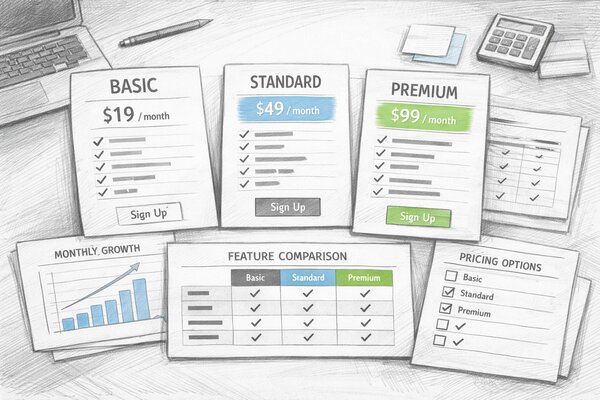
DAM pricing comes down to three models, and each one fits a different cost structure. Mismatches get expensive. Every vendor offers the model that matches their cost structure, not yours.
| Model | Best fit | Where it breaks |
|---|---|---|
| Per-user / per-seat | Stable internal headcount where every collaborator works inside the platform | Freelancers, agency partners, and contractors — each needs a paid seat, and the per-seat price climbs at every renewal |
| Per-storage (GB / TB) | Small libraries that grow predictably — mostly images and documents | Video asset management. A single 4K shoot eats the same plan a copywriter sits on for a year |
| Per-asset | Tight e-commerce or product catalogues with a finite SKU count | Agency work that ships 200 derivative variants per hero shot — the cap blows on the first campaign |
Bynder, Brandfolder, Aprimo, and Adobe Experience Manager Assets all price per seat — that’s the dominant enterprise pattern. Per-storage and per-asset show up more often in SMB-tier and catalogue-focused tools, sometimes blended into hybrid plans where a base storage allowance is bundled and overages bite later.
Per-seat Enterprise DAMs
- Byndercustom pricing — broad integration ecosystem(opens in new tab); per-seat pricing, with SSO and SCIM typically reserved for higher tiers (check the current pricing page)
- Brandfoldercustom pricing — Smartsheet-owned since 2020(opens in new tab), known by reputation for brand-portal experience; per-seat tier structure with capability gates that step up by plan
- Aprimocustom pricing — positions itself(opens in new tab) as a content operations platform with DAM and workflow automation at the core; per-seat enterprise contracts, pricing on request
- Adobe Experience Managercustom pricing — part of Adobe’s Experience Cloud; pricing is not published — contract terms are negotiated through Adobe sales rather than self-serve
Pricing transparency tells you a lot about vendor culture. A DAM that publishes its prices wants you to self-qualify. One that hides every number behind a sales call wants its rep to set the price once he’s learned what you can spend.
Full disclosure — we charge for both. At YetOnePro, £5 buys one seat and 10GB together, and the two scale as a single unit. Add a teammate and 10GB lands with them. Buy storage and a seat comes with it. Autoscale strips blocks when you stop needing them. The point isn’t a low price — it’s that growing on one axis never punishes you on the other.
Things to watch for inside the contract: SSO and SCIM gated to the enterprise tier (the “SSO tax” — we wrote about why we don’t do this), storage overages that cost multiples of the base rate, API call limits that turn into a metered surprise in month four, workflow automation triggers locked to higher tiers, audit logs in a higher tier, branded portals as an add-on, and annual lock-in that quietly disappears the monthly equivalent. The sticker price is rarely the total cost. Once you’ve added migration, integration build, training, and the “we needed the next tier” conversation in month four, Year 1 spend routinely runs well above the licence figure — which is why it’s worth modelling the return before you sign. Migration and integration are the biggest variables, and we cover both later.
Security and SSO: Where Vendors Cheat#
Permissions, role-based access, workspace isolation — the foundational article covers those, and every DAM ticks those boxes. Vendors differentiate by what they hide behind tier upgrades.
SSO and SCIM gated as enterprise-only is the canonical example. SAML 2.0 and SCIM provisioning are not technically expensive features; they are pricing levers. A team that hits the SSO requirement at any size has to either accept a tier upgrade priced for an organisation 5× their headcount, or run a parallel directory that breaks the moment someone leaves the company. The audit trail follows the same pattern: vendors gate the “full audit log” behind a tier, while shipping a watered-down activity feed that captures uploads but not reads, edits, shares, or downloads. When the regulator asks “who saw this asset and when”, that distinction matters.
Data residency is the question most vendor sales reps cannot answer in a demo without escalating. “EU customers” sometimes means an EU-region S3 bucket; sometimes means a Frankfurt-fronted CDN sitting in front of US-East-1. Under GDPR those are completely different situations, and a regulator will ask. Ask the vendor explicitly: where does the asset live at rest, and where does the metadata live at rest. The answers should not need a follow-up email.
Test link-expiry mechanics, download restrictions, watermark-only previews, and view-only shares the same way: with the failure case in mind, not the success case. How a feature breaks under non-demo conditions rarely comes up before you sign. Expired share links return a clean 404, or they redirect to a login page where any logged-in user can read the asset. Watermarked previews are watermarked, or they leak the original via a different URL. The demo always shows the success case; your trial is the only place to see what breaks.
Running a DAM Trial: What to Actually Test#
The default DAM trial is 14 days, a clean tenant, the vendor’s 50-asset sample library, and a sandboxed sales engineer running the demo. None of those are your team using your digital assets on a real interface under real load. A trial designed that way evaluates the demo, not the tool.

The trial that earns the buying decision looks different. Upload between 200 and 500 of your real digital assets, including the messy ones — the typos in folder names, the duplicates, the digital files you wish you’d deleted. Invite the actual people who will use the system, not the evaluator. Run one real project end to end — brief to delivery, with a real stakeholder reviewing in the middle. Time each handoff. Compare to your current workflow. If the new total is not faster, the DAM isn’t worth the switch.
A DAM isn’t software you love — it’s software you tolerate, every day, for years. The trial’s job isn’t to make you fall for it; it’s to find the friction you’d still tolerate after the novelty wears off. Push hard on the boring parts: the second upload, the bad search, the share to the wrong person, the recovery from a mistake. The DAM that wears well under that pressure is the one worth buying.
Search is the test most worth running honestly. Most DAM vendors lean on AI auto-tagging in the demo, which works on the demo’s clean stock library. On your digital assets, AI tagging covers some queries and misses others — a designer searching for “the orange-sky one from Q3” needs metadata the AI never inferred. Build the metadata schema you’d actually use, define five custom fields, and search across them. If the system needs you to remember the folder path, the search has failed. The metadata schema is covered in DAM Metadata Taxonomy — you have to design it before any DAM’s search can rescue you.
Test the failure modes too. Cancel the trial midway and try to export your digital assets. Disable a user and see whether their work survives. Delete an asset and see whether the audit log records who, when, and what. If exporting your digital assets during the trial turns into a sales conversation, the lock-in has already started.
DAM Migration: Getting Your Files In#
Once you’ve selected a DAM solution, implementation work starts. Most DAM solutions provide some form of bulk migration tool, but how well it preserves metadata, version history, and folder structure varies wildly. The goal is one library that contains every file still in active use — and nothing else. Asset storage, search indexing, and the rights metadata that travels with each file all need to land in the new system intact, or you’ve simply moved your mess into a more expensive container.
The migration is the part nobody plans for until it’s underway. Moving digital assets into a new DAM software stack scales in three ways depending on volume and how much metadata you care about preserving. Manual drag-and-drop works under about 1,000 files — nobody believes that until they try it. Bulk upload via a Drive or Dropbox connector handles 1,000–10,000 files but drops most of the metadata at the boundary. API migration with a custom mapping handles 10,000+ but costs developer time and produces its own bugs — particularly around integration with your existing creative tools.
The honest version of migration scoping is that you don’t need to move everything. Most teams, when they actually look, find well under half their library worth migrating. The rest is digital assets you’ve been meaning to delete for two years. Version control is the part migrations break most reliably. If your current library has twelve versions of the same logo with creative filenames, the migration is when you decide which one is canonical and accept that the others go to cold storage.
Scoring DAM Platforms: A Decision Framework#
Weight the five questions by how much each matters to your team. A B2B brand with a small content output and a tight legal review will weight question 5 (lifecycle and rights management) heavily and question 1 (ingest) lightly. A marketing team running 200 product variants per month inverts that ratio. The weighting comes from the workflow exercise we started with, not from the vendor’s feature emphasis or the loudest demo.
A simple version of the rubric: weight each of the five questions 1–30 (sum to 100), score each platform 1–5 against that question, multiply, sum across questions. The platform with the highest total wins. Weighting the questions forces the conversation a feature matrix never does: what this particular team actually needs.
Here’s a worked example for one team profile — a 30-person creative agency, video-heavy, lots of client review cycles. The weights reflect that profile (find and review get the most attention). The 1–5 scores are illustrative, based on each platform’s publicly documented capabilities — not a head-to-head benchmark. Your own scores will diverge once you run the trial. Use the structure, not the numbers.
| Platform | Files in | Find | Review | Deliver | After | Total |
|---|---|---|---|---|---|---|
| Weight 15 | Weight 25 | Weight 25 | Weight 25 | Weight 10 | / 500 | |
| Bynder | 4 | 5 | 3 | 4 | 4 | 400 |
| Brandfolder | 4 | 4 | 3 | 5 | 3 | 390 |
| Aprimo | 5 | 4 | 5 | 4 | 5 | 450 |
| Canto | 4 | 3 | 4 | 4 | 3 | 365 |
| Adobe Experience Manager Assets | 5 | 4 | 4 | 3 | 4 | 390 |
A reminder before reading the result: this is a demonstration of how the rubric works, not a verdict on the vendors. Your numbers will depend on your business, your workflows, and the trial you actually run — yours will look different.
That said, on this profile the highest score lands on Aprimo — driven by its workflow strength on review and lifecycle. That’s the point of the rubric. It doesn’t pick the loudest brand; it picks the platform whose strengths line up with where the team actually spends time. Run the same exercise with intake-heavy weights and an e-commerce-style profile, and the answer flips. Run it with delivery weighted at 35 for an agency that lives in client portals, and Brandfolder closes the gap on Aprimo. The numbers above are scaffolding; the only ones that matter are the ones you assign.
The foundational What Is Digital Asset Management? article ships a 14-feature comparison table across four named platforms; the framework here is what fills that table in for your specific case. Use both: the comparison gives you the candidate field; the framework decides between them.
When “good enough” is the right answer: most teams do not need the most-featured DAM in their tier. They need the one that handles their five questions cleanly and gets out of the way. Pick the longest feature list and in eighteen months the team is using a handful of features and paying for the rest. Pick the one that fits the workflow, at a price that doesn’t require a tier upgrade in month four.
Frequently Asked Questions #
How long should a DAM evaluation take?
Which pricing model fits my team — per-user, per-storage, or per-asset?
What is the most-overlooked question in a DAM evaluation?
Do I have to migrate everything from my current system?
How do I avoid the “SSO tax”?
Are vendor demos a useful signal at all?