Key Takeaways — brief reading, less than 30 seconds
- The biggest bottleneck in photography studios is not the shooting — it’s the operational overhead: briefs scattered across tools, partial deliveries, and a studio manager who holds the whole picture in their head.
- Physical studio space is the first hard ceiling. When volume outgrows the space, you either raise prices or expand — no software fixes that.
- A CRM earns its keep not for marketing but for operational coordination — especially when partial shipments, scope changes, and phone-based disputes are the norm.
- The photographer-to-retoucher handoff is usually fine for small teams. It breaks when you add retouchers, outsource, or hit seasonal volume swings — consistency and context are the real problems.
- Client portals cut approval cycles in half by putting feedback directly on the image instead of in a separate email thread.
- Automate notifications and client approvals first (highest ICE scores). Leave retouching queue assignment and shipping automation for when the studio is large enough to justify the setup cost.
Glossary10 terms
- CRM: Customer Relationship Management — software that tracks client interactions, bookings, invoices, and project history in one place.
- DAM: Digital Asset Management — a platform for storing, organising, versioning, and delivering digital files like photos and videos.
- ICE Score: Impact × Confidence × Ease — a prioritisation framework for scoring which automations to implement first. Higher is better.
- RICE Score: Reach × Impact × Confidence ÷ Effort — a more detailed prioritisation framework that adds a Reach dimension to ICE.
- SKU: Stock Keeping Unit — a unique identifier for each product. Product photography studios organise shoots and file naming around SKUs.
- HLS: HTTP Live Streaming — a protocol for delivering audio and video in small segments, enabling adaptive playback without downloading the full file.
- Client Portal: A branded web interface where clients can view proofs, leave feedback with visual annotations, approve deliverables, and download final files.
- Culling: The process of reviewing and selecting the best shots from a shoot, discarding duplicates and rejects before retouching begins.
- Proofing: Presenting draft or retouched images to a client for review and approval before delivering the final files.
- Shot List: A document specifying every shot required for a project — angles, lighting, styling notes, and any special requirements per product.
I spent several years building and maintaining an order intake and approval system for a small product photography studio. Later, I made an unsuccessful attempt to launch a studio management platform — which still gave me a wealth of insight into what actually matters in a photo studio’s day-to-day and what turns out to be secondary. That experience eventually fed into how we built YetOnePro, and this is where I want to share what I learned.
When I say “photo studio” in this article, I mean a specific type: studios that take orders and shoot on their own premises. That could be product photography or portrait work. Their typical job starts with an order form. Any marketer will tell me that the job actually starts with advertising — and they’d be right. But this article is about managing the internal processes that happen once a client walks in the door, so I’m leaving the marketing side out of it.
The Photography Studio Bottleneck#
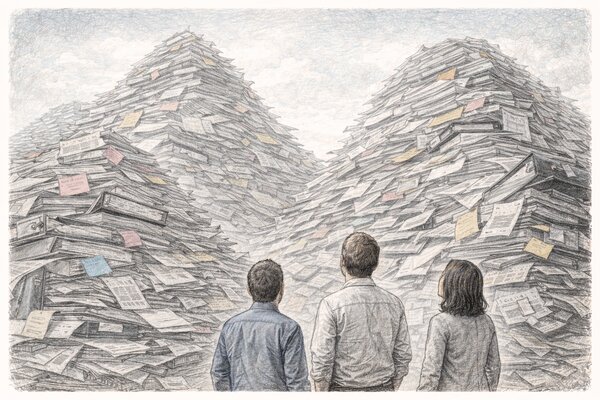
The shooting itself is rarely the problem. Most studios can handle more volume behind the camera than they can manage in front of the computer. The bottleneck is not any single system — it is that every piece of the workflow lives in a different place.
Orders and requirements come through a web form — and even that is harder than it sounds, because public form builders are terrible at handling visual references. A client needs to show you how the product should be photographed, attach example images, maybe link to a page with mood boards. Try building that in Typeform or Google Forms. So the form captures the basics, and the real brief ends up in an email thread or a shared doc somewhere else.
Once the order is accepted, the manager has to deal with shipping. If the studio photographs physical products, somebody needs to generate a postal label. But large clients — the ones who send you 200 SKUs at a time — often insist on using their own shipping accounts because they get volume discounts with UPS or FedEx. So now you are juggling two different label workflows. Then you need to track delivery, and that tracking is not always straightforward either — packages arrive in batches, some get delayed, and you need to know what has actually landed at the studio before you can start scheduling the shoot. And if you are photographing jewellery, watches, or anything high-value, the shipment needs insurance in both directions. That is another separate service, another set of paperwork, and another thing the studio manager has to coordinate before a single photo is taken.
Meanwhile, the order itself is being tracked in Asana or Monday or Trello. Client communication is happening in Intercom or email. Retouchers are picking up tasks from the same Asana board, but the shot list that the photographer worked from might be a PDF in a Google Drive folder, or a printout pinned to the shooting table. The manager is the only person who knows how all these pieces connect — and they are switching between five tabs to keep it together.
The actual production pipeline goes something like this: accept the products at the studio, log them in, shoot within a guaranteed turnaround time, retouch, send proofs to the client for approval, make edits based on feedback, get final approval, upload the high-resolution originals to a shared drive like Dropbox, send the client download links, and then ship the physical products back. Every one of those steps involves a different tool, a different communication channel, and a different person who needs context they do not have unless someone manually provides it.
The shared drive itself is not the problem. The problem is that it is disconnected from everything else. The order lives in one system, the discussion with the client lives in another, the retouching tasks live in a third, and the final files live on Dropbox with no link back to any of it. When a client calls six months later and says “I need the originals from that shoot we did in October,” someone has to reconstruct the trail from memory.
Anatomy of a Product Photography Workflow#
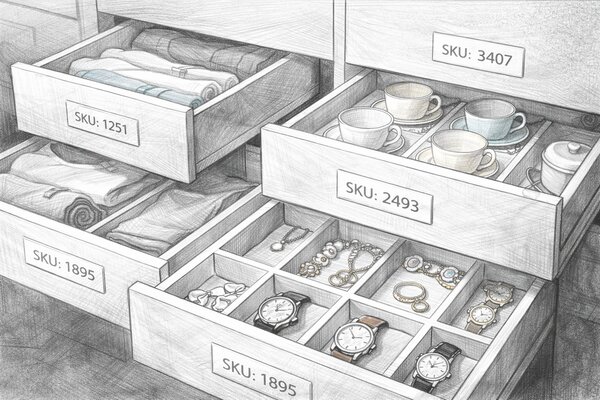
On paper, a product photography workflow is a straight line: the client sends the brief, the products arrive, the studio shoots, retouchers edit, the client approves, final files get delivered, and an invoice goes out. Ten steps, each one obvious. At 50 products a week, a good studio manager can keep the whole thing in their head. At 500, the line turns into a web — and it breaks in places most people do not expect.
The first thing that collapses is not the workflow. It is the physical space. Every photography business eventually hits the same ceiling: the studio can only fit so many sets, so many products waiting to be shot, and so many photographers working at the same time. A product studio running five days a week with one shooting bay has a hard cap on throughput — and no amount of software will change that. When volume outgrows the space, the studio faces a real fork: raise prices to match the limited capacity, or invest in a larger space with more shooting bays and more staff. Both are valid strategies, but the choice has to be conscious. Studios that try to push more volume through the same space without acknowledging the constraint end up with backlogs, missed deadlines, and burned-out photographers.
The second bottleneck is logistics — and this one is messier than it looks. Products do not always arrive in perfect condition. Wearables need steaming or flattening before they can be photographed. Fragile items arrive with dents. And the most common headache: partial deliveries. A client sends 40 SKUs, but only 28 arrive on Monday. The rest show up Wednesday. Now the studio has a choice — start shooting the 28 and risk being out of sequence when the rest arrive, or wait and blow the turnaround time. Neither option is great, and both require a conversation with the client. That conversation needs to happen fast, with full context about what was ordered, what arrived, and what the original deadline was. This is where a CRM or at least a structured client communication system earns its keep — not for marketing, but for operational coordination. Without it, the studio manager is digging through email threads trying to reconstruct what the client originally sent.
Then comes the shooting itself. At small volumes, the photographer looks at the brief, sets up the shot, and works through the list. At high volumes, shot lists become production schedules. Which products share the same lighting setup? Which ones need lifestyle context and which are pure white-background? Batching by setup type can double throughput, but it requires someone to pre-sort the shot list before the photographer touches the camera. That pre-sorting step does not exist in a 50-product workflow. At 500, skipping it costs hours of unnecessary set changes every day.
After capture, the pipeline splits into parallel tracks. File ingest and culling happen immediately — someone needs to select the best shots from each angle before the retoucher starts. Photo editing happens next, and at scale this means multiple retouchers working on the same project simultaneously, which creates its own coordination overhead. Then client review: proofs go out, feedback comes back, edits get made, final approval lands. Each of these steps adds a day or two of latency, and at 500 products a week those days compound fast. A three-day approval cycle that was invisible at low volume becomes a 150-product traffic jam blocking the entire pipeline.
Finally, the administrative tail: invoicing, archival, and return shipping. Invoices need to reflect what was actually delivered, not what was originally quoted — because scope changes mid-project are the norm, not the exception. Archival needs to be searchable months later when the client comes back for a re-edit. And if the studio is shipping physical products back, every return needs tracking, insurance, and confirmation of receipt.
So at low volume, every step is manageable because one person holds the full picture. At high volume, no single person can. The steps stay the same — what breaks is the context moving between them. The retoucher was not there when the brief came in. The person packing the return shipment does not know the client changed their mind about the background colour. Every handoff needs to carry enough context that the next person can pick it up cold, and that is why studios that grow beyond a handful of orders a month end up reaching for task management tools, client portals, and digital asset management systems. Not because the old way was broken, but because it depended on one person remembering everything — and at some point, that person maxes out.
Booking, CRM, and Client Communication#

Most photography studios start managing clients in a spreadsheet. Name, email, what they ordered, when it is due. It works until someone forgets to update a row, and then it works until two people update the same row differently, and then it stops working entirely. A spreadsheet is not a customer relationship management system — it is a snapshot that goes stale the moment you close the tab.
What a real booking system gives you is not just a list of clients. It is the timeline of every interaction: when the enquiry came in, what was quoted, whether the client accepted, when products arrived, what was discussed on the phone last Tuesday. That history matters most with repeat clients — the ones who send you work every month and expect you to remember their preferences without being told twice. A proper CRM tracks that context automatically. A spreadsheet requires someone to type it in, and nobody does.
Online booking is the front door. For portrait studios and wedding photographers, it is straightforward — a calendar with available slots, package selection, and a deposit payment. For product studios, it is more like an intake form: how many SKUs, what kind of shots, any reference images, what is the turnaround, does the client need retouching or just raw captures. Either way, the point of online booking is to capture everything the studio needs before the first email is sent. Every field you skip on the form becomes a back-and-forth email later.
But booking is only the beginning. Client communication during and after the shoot is where most studios lose control. The initial brief comes through the form. Then clarifications happen over email. Then someone calls to change the shot list. Then the studio manager confirms the change on WhatsApp because the client is on the go. Now the requirements for a single order live in four different places, and the retoucher has access to none of them.
The studio I worked with tried Intercom for this. It helped with the text side — threaded conversations, saved replies, internal notes. But it was not enough. A significant portion of client management happened over the phone: discussing creative direction, resolving disputes about deliverables, negotiating scope changes. Text channels cannot fully replace a live conversation when a client is frustrated or confused. So the studio added a VoIP service that logged and recorded every call. Not for surveillance — for protection. When a problematic client claims six months later that the studio agreed to reshoot for free, you need the recording. When a retoucher asks what the client actually said about the background colour, you can replay the call instead of guessing. Call recording turned out to be one of the most practical client management tools the studio adopted — not glamorous, not something any photography studio software advertises, but genuinely useful.
The combination that worked was a CRM for the relationship management lifecycle — bookings, invoices, project history — plus a messaging tool for day-to-day communication, plus recorded calls for anything that needed a verbal conversation. Three channels, all linked to the same client record. That last part is the hard part: most studios end up with a CRM that knows the client booked, an email thread about the brief, a WhatsApp message about the deadline change, and a phone call about the reshoot — and none of these systems talk to each other. The best CRM in the world cannot help photographers if half the conversation lives outside of it.
What should you automate here and what should stay personal? Automate confirmations, status updates, and invoice reminders — anything where the client just needs to know that something happened. Keep the creative consultation personal. Keep the conflict resolution personal. And keep a record of everything, automated or not, in one place. That is what saves time when the same client comes back in three months and you need to pick up exactly where you left off.
Photographer to Post-Production Handoff#
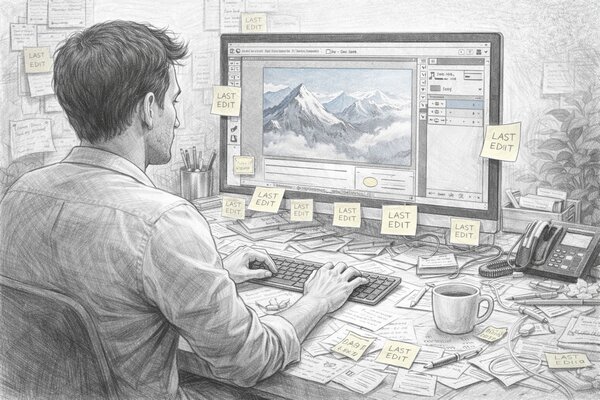
This is the part of the workflow that sounds like it should be a problem but usually is not — at least not for studios where the photographer and retoucher sit in the same room and have worked together for a while. The photographer finishes a shoot, drops the files into the right folder, and the retoucher picks them up. Maybe the folder is named by SKU, maybe by project and date, maybe it is just “Ready for Retouch.” Either way, the retoucher knows where to look, knows what the client expects, and starts working. Feedback comes back from the client, edits happen, another round goes out. The loop is simple and it works.
So why does every article about photography workflow treat this handoff like a crisis? Because the articles are written for the worst case, and the worst case is real — it just does not happen in every studio. It happens when the team changes.
The moment you add a second retoucher, the assumptions break. The first retoucher knew that this client likes warm tones and tight crops. The second one does not. The first retoucher knew that “final” means the PSD with layers, not the flattened export. The second one delivers a JPEG, the client opens it, and it is 800 pixels wide. None of this is a file management problem. It is a context problem — the knowledge lived in one person’s head, and when the work fanned out to two people, half the context disappeared.
It gets worse with outsourcing. Apparel photography in particular is seasonal: a brand might send 200 SKUs in March and 30 in June. Staffing in-house retouchers for that swing is nearly impossible — they are either idle or overworked. So studios outsource the overflow to services like Pixelz or offshore teams. Now the handoff is no longer a folder on a shared drive. It is an upload to an external platform, a written brief that has to capture everything the in-house retoucher just knew intuitively, and a turnaround that depends on someone who has never seen this client’s work before. The photo editing quality stays high if the style guide is detailed enough. It drops if the guide says “make it look good” and the external retoucher has a different idea of what that means.
Once you have multiple retouchers, consistency becomes the actual headache — not who picks up which folder. Three people work on the same product set and each one handles colour slightly differently. The client gets a gallery where shot 1 looks warm, shot 14 looks cool, and shot 27 has a different shadow density. For a professional photographer or any studio business running a serious operation, that is embarrassing. What fixes it is a reference image for every project that every retoucher matches against, plus a final QC pass before anything goes to the client. Better folders will not save you here.
That said, file naming conventions are still the foundation. They are not exciting, but they prevent the dumbest mistakes. The convention that works for most product studios is straightforward: ClientName_ProjectName_SKU_AngleNumber. Date goes on the folder, not the filename. Working files (PSD, layered TIFF) stay in one directory; exports for the client go in another. The retoucher never touches the photographer’s originals. If your studio follows these rules consistently, the handoff is a non-event — and that is exactly how it should be. The best photography studio workflow is one where the handoff is boring.
Where tools for photographers actually help is not the handoff itself but the feedback loop that follows. The retoucher delivers, the client reviews, notes come back, the retoucher revises. That loop can repeat two or three times per project, and the time sink is not the editing — it is waiting for the client to respond and then figuring out which version the notes refer to. A photo proofing system where the client marks corrections directly on the image, linked to the specific version, compresses that loop from days to hours. The internal handoff is fine. The external feedback cycle is where studios actually lose time, and that is a design proofing problem, not a folder structure problem.
Client Portals and Gallery Delivery#
Photo delivery is a solved problem. The studio I worked with handled it the simplest way possible: retouched proofs went to the client through an online gallery, and once approved, the high-resolution originals were uploaded to Dropbox with a shared link. That was it. No dedicated client portal, no fancy delivery platform. It worked because the files were too large for email — a set of 40 product shots in TIFF format can easily hit 10 GB — and Dropbox was the tool the clients already knew how to use.
What was not solved was the feedback side. The gallery showed the proofs, but all the actual feedback — “crop tighter on shot 12,” “the shadow on the left is too harsh,” “can we try a warmer background?” — came back through Intercom or over the phone. The client looked at the photo gallery in one tab and typed their notes in another. The studio manager read those notes, translated them into retouching instructions, and passed them along. It worked, but it was entirely manual. Every feedback round meant the studio manager acting as a relay between the client and the retoucher, rephrasing what the client said into something actionable. For a small studio doing 10 orders a week, that relay is manageable. At 50 orders, the manager spends more time relaying feedback than doing anything else.
This is the gap that client portals are designed specifically for photographers to fill. Instead of separating the viewing from the commenting, a portal puts them in the same place. The client sees the proof and clicks on the area that needs fixing. The annotation is tied to the exact image, the exact version, and the exact pixel. No relay needed — the retoucher opens the same view and sees what the client marked. In our experience, studios that switch from email-based feedback to visual annotations can cut the approval cycle by half or more. Not because the client responds faster, but because there is no back-and-forth clarifying what “the shadow on the left” actually means.
The photo delivery itself also benefits from a portal, though the improvement is less dramatic. Dropbox works for originals, but it is a generic file-sharing tool — it does not know that these files are photos. A photo gallery built for delivery shows thumbnails, lets the client browse by angle or SKU, and controls who can download what. Some studios need the client to approve before downloading the high-resolution files. Others need to restrict downloads to specific team members on the client side. Dropbox can do some of this with shared folder permissions, but it was not designed for photographers who want to control the delivery experience. Platforms like Pixieset or ShootProof were built for exactly this — online galleries with proofing, favouriting, and download controls, all under a branded page that looks like it belongs to the studio, not to a file-sharing service.
For product studios, though, the gallery is only part of your business workflow. The client does not just need to see and download photos. They need to see the photos alongside the original brief, know which SKUs are done and which are still in retouching, and leave feedback that routes to the right person without a phone call. That is closer to a client portal than a photo gallery — a single place where the client can track their order, review the work, approve or request changes, and download the finals when everything is signed off. It replaces the combination of Dropbox for files, Intercom for feedback, and email for status updates with one interface that handles all three.
The honest reality is that most studios do not start with a portal. They start with Dropbox and email, exactly like the studio I worked with, because it is easy to set up and the clients already understand it. The portal becomes worth it when the volume of feedback rounds makes the manual relay unsustainable — when the studio manager is spending hours every day copying client notes into retouching tasks instead of running a photography business. At that point, a client portal is not a nice-to-have. It is the automation tool that gives you back the most time for the least effort, which is exactly what the ICE scores in the automation section show.
Workflow Automation: What to Automate First#
Not everything needs automation — but some things desperately do. The question is where to start, and for that you need a way to score the options objectively. We are using the ICE framework: each automation gets a score from 1 to 10 on three dimensions, and the product gives you a priority ranking.
- Impact — how much does this move the needle for the studio? Revenue, turnaround time, client satisfaction.
- Confidence — how sure are we this will actually work? Proven approach vs experimental.
- Ease — how hard is it to implement? Time, cost, technical complexity.
ICE Score = Impact × Confidence × Ease. Higher is better. Here is how common studio automations rank for a mid-size product or portrait studio, sorted by score:
| What to Automate | Impact | Confidence | Ease | ICE Score |
|---|---|---|---|---|
| Auto-notifications | 8? | 9? | 9? | 648 |
| Order confirmed, photos ready, invoice sent — clients notice immediately. Trivial to set up in any CRM. Highest ease score. | ||||
| Client approval portal | 9? | 9? | 7? | 567 |
| Waiting for client feedback is the #1 hidden bottleneck. Visual approve/reject with reminders cuts turnaround from days to hours. | ||||
| Auto-invoicing on approval | 7? | 9? | 8? | 504 |
| Studios forget to bill more often than they admit. Invoice triggers on “approved” status. Most CRMs support this out of the box. | ||||
| Structured intake form | 8? | 8? | 7? | 448 |
| Eliminates “what exactly do you need?” emails. Required fields, reference uploads, shot list templates. Needs some upfront design work. | ||||
| Automated backup + archive | 9? | 8? | 4? | 288 |
| One drive failure = years of work gone. Critical impact, high confidence, but setup is technical — cloud sync, retention policies, off-site replication. | ||||
| File ingest + auto-tagging | 8? | 7? | 5? | 280 |
| At 200 images/day, manual tagging is an hour lost daily. Auto-metadata on upload makes every photo findable. Requires DAM setup. | ||||
| Retouching queue assignment | 7? | 6? | 5? | 210 |
| Auto-assigns incoming files to retouchers based on availability or skill. Saves the manager from manual dispatching. Needs project management integration. | ||||
| Shipping label + tracking | 6? | 7? | 4? | 168 |
| Matters most for product studios. Connecting to UPS/FedEx APIs, handling client shipping accounts, insurance for high-value items. Real value but real effort. | ||||
The top of the table is clear: auto-notifications and the client approval portal give the best return for the least effort. These are the two things to set up first — before you touch file management, before you automate invoicing, before you buy a DAM. A client who gets instant status updates and can approve photos with one click will forgive a lot of other rough edges in your workflow.
The middle of the table — auto-invoicing, intake forms, file tagging — are the second wave. Each one removes a specific pain point, but they require more setup and sometimes a tool change. Do these once you have the basics running.
The bottom — retouching queue assignment and shipping automation — are high-value but high-effort. These are worth investing in when the studio is large enough that the manual version of these tasks consumes a significant chunk of someone’s day.
If you want an even more rigorous approach, look into the RICE framework (Reach × Impact × Confidence ÷ Effort) — widely used in software product management. RICE adds a “Reach” dimension: how many orders or clients does this automation touch per quarter? That makes it more precise for larger studios where some automations affect every order and others only apply to a subset. For most studios under 20 people, ICE is plenty.
The rule of thumb: automate anything that is repetitive, forgettable, and does not require creative judgement. Keep the human touch where it matters — the initial consultation, the creative direction, the moment you walk a nervous portrait client through their proofs. Everything else is overhead, and overhead should run itself.
Photography Studio Management Software#
There is no shortage of software marketed to photographers. The problem is that most of it was built for wedding and portrait photographers — booking, contracts, invoicing, gallery delivery. That workflow is real, but it is not the same workflow a product studio runs. Knowing the difference saves you from buying a tool that solves the wrong problem.
The market splits roughly into two camps: booking-centric CRMs that manage the client relationship from enquiry to payment, and asset-centric platforms that manage the files themselves. Most studios need something from both, and no single tool covers everything.
Booking & CRM Platforms
- Studio Ninja(opens in new tab)from $21/mo — built by a wedding photographer and a UX designer. Simple, fast to set up, with prebuilt workflows for booking, invoicing, and contracts. Best for solo photographers and small portrait studios. ✓ Notifications · ½ Invoicing · ½ Intake · ICE: 1,124 / 3,113
- HoneyBook(opens in new tab)from $36/mo — polished, well-funded, popular across creative businesses (not just photographers). Strong on proposals, contracts, and payments. AI-powered automations for client follow-ups. ✓ Notifications · ✓ Intake · ½ Invoicing · ½ Retouching · ICE: 1,453 / 3,113
- Dubsado(opens in new tab)from $20/mo — highly customisable CRM with advanced form builders, workflow automations, and client portals. Steeper learning curve but more flexible for multi-service studios. ✓ Notifications · ✓ Invoicing · ½ Approval · ½ Intake · ½ Retouching · ICE: 1,813 / 3,113
- VSCO Workspace(opens in new tab)from $23/mo — formerly Táve, acquired by VSCO in 2025. The most powerful option for custom workflows and automation. Built for mid-to-large studios that need granular control. Better for teams than solo shooters. ✓ Notifications · ½ Invoicing · ½ Intake · ½ Retouching · ICE: 1,229 / 3,113
- Bloom(opens in new tab)from $14/mo — newer entrant with a category-based workflow and built-in task management per lead. Clean interface, strong on booking automation. 7-day free trial. ✓ Notifications · ✓ Intake · ½ Approval · ½ Invoicing · ICE: 1,632 / 3,113
Gallery & Delivery Platforms
- Pixieset(opens in new tab)from $12/mo — combines client galleries, a booking CRM, and a website builder in one suite. Gallery delivery is the strongest part — proofing, favouriting, and print sales. Full Suite from $28/month. ½ Notifications · ½ Approval · ½ Intake · ½ Shipping · ICE: 916 / 3,113
- ShootProof(opens in new tab)free / from $10/mo — gallery sharing, sales, contracts, and invoicing. Pricing based on photo count rather than storage. Good for portrait and event photographers who sell prints. Free plan includes 100 photos. ✓ Notifications · ½ Approval · ½ Intake · ½ Shipping · ICE: 1,240 / 3,113
- Sprout Studio(opens in new tab)from $17/mo — tries to be the all-in-one: CRM, galleries, email marketing, album proofing, and invoicing in a single platform. Covers the most ground but can feel heavy for studios that only need part of it. ✓ Notifications · ✓ Intake · ½ Approval · ½ Invoicing · ICE: 1,632 / 3,113
What you will notice is that almost all of these were built for the portrait and wedding market. The workflow they optimise is: enquiry → booking → contract → shoot → gallery → print sales → invoice. That is a good workflow, but it does not cover the product studio reality of incoming shipments, shot lists by SKU, retouching queues, approval rounds, and shipping products back.
The enterprise end of the market has one notable exception: Creative Force, which covers sample check-in with barcode scanning, production calendars, retouching pipelines, approval workflows, and a full production DAM with version history. It is the closest thing to a comprehensive product studio platform. The catch is the price — custom quotes only, reportedly starting around $900/month with a 12-month commitment. Built for large e-commerce operations, not a five-person studio. DF Studio covers the post-production side well — visual annotations, approval workflows, and file delivery — but has no CRM, no booking, and no shipping management.
Enterprise / Product Studio Platforms
- Creative Force(opens in new tab)from ~$900/mo — end-to-end e-commerce content production: sample tracking with barcodes, production calendar, shooting workflow, retouching pipeline, approval rounds, and production DAM. Custom quotes, 12-month commitment. ✓ Notifications · ✓ Approval · ✓ Tagging · ✓ Retouching · ✓ Shipping · ½ Intake · ½ Backup · ICE: 2,537 / 3,113
- DF Studio(opens in new tab)from $20/mo — cloud-based photography management with zero-click approvals, visual annotations, file delivery, and collaboration. Strong on post-production workflow, no CRM or booking. Team plan (5 users) from $500/month. ✓ Approval · ✓ Backup · ½ Notifications · ½ Tagging · ICE: 1,319 / 3,113
There is a gap here. If you run a product photography studio with 5 to 20 people, try finding a single platform that covers the full loop: order intake, shipping and insurance, sample tracking, shooting, retouching, client approval, file delivery, archival, and return shipping. You are either paying enterprise prices for Creative Force, or you are stitching together a CRM for bookings, Asana for task management, Intercom for client communication, and a DAM or Dropbox for file delivery. That patchwork is exactly the bottleneck I described earlier — and as far as I can tell, nobody has built the middle-market solution that connects all of it yet.
For the asset side of the workflow — versioning retouched files, visual approval with annotations, searchable archives, and client delivery portals — a DAM like YetOnePro fills the gap that CRMs leave open. It does not replace your booking tool, but it handles everything from the moment the first photo is taken to the moment the client downloads the final files.
Building a Workflow That Scales#
So you have looked at the tools, scored the automations, and seen the gap. Now the practical question: how do you actually build a workflow that does not collapse when order volume doubles?
The answer has less to do with which studio management tool you pick and more to do with how you structure the work around it. I have seen a photo studio with a clear workflow management system handle five times the volume without hiring another manager. And I have seen studios with twice the staff drown in half the orders because nobody wrote down how things are supposed to flow.
Start with the booking system, not the file system. Most photographers try to fix their workflow by organising Dropbox. That is starting at the wrong end. The chaos begins at intake: unclear briefs, missing reference images, no shot list, no guaranteed turnaround time. Get online booking right first — a structured form that captures everything the photographer needs before the product arrives. Every studio management system on the market handles this. If you are still taking orders by email, that is the first thing to fix.
Standardise the handoff, not just the folder. The photographer-to-retoucher handoff is where most photo studios lose time. The retoucher needs to know four things: which files to edit, what the client expects, what the deadline is, and where to put the results. Whether that information lives in an Asana task linked to the right folder or in a DAM where the files carry the context with them — either way works. The point is that every handoff should be self-explanatory without asking anyone.
Move client approvals out of email. This is the single biggest task management improvement you can make. A client who receives a gallery link with “approve” and “request changes” buttons responds in hours. A client who receives 15 JPEGs in a ZIP file responds in days — or not at all, because they opened it on their phone, could not see the details, and forgot. Online galleries with proofing are not a luxury. For any studio doing more than a handful of orders a month, they are the difference between a two-day turnaround and a two-week one.
Separate the working files from the delivery files. Your photo editing workflow produces RAW files, PSD files, layered TIFFs, and final exports. The client sees only the exports. These should not live in the same place. Keep your working files in whatever structure your retouchers prefer. Push the finals to a delivery platform — whether that is an online gallery, a client portal, or a digital asset management system. This separation means the client never accidentally downloads a 500 MB PSD, and your retouchers never accidentally overwrite a delivered file.
Archive by project, not by date. The instinct is to organise by date: /2026/04/shoot-001/. That works until a client calls in November and says “I need the photos from the spring campaign.” Nobody remembers dates. Archive by client and project: /ClientName/ProjectName/. Inside each project, keep the brief, the shot list, the working files, and the delivered files together. When someone searches six months later, they find everything in one place — not scattered across twelve monthly folders. A proper cloud-based photography studio archive also means you are not relying on a single NAS that sits under someone’s desk.
Use business management software for the business, creative tools for the creative. I have watched photographers try to make Lightroom do project management and studio managers try to make Asana do photo editing reviews. It never sticks. In practice, three separate tools that each do their job — a CRM or booking system for relationship management and online payment, a project management tool or studio management system for scheduling, and a DAM or gallery platform for the files — will work better than one tool that tries to cover everything and does all of it halfway.
Plan for the person who replaces you. Ask yourself: what happens when the studio manager goes on holiday, a retoucher quits, or a new photographer starts next Monday? If the workflow lives in someone’s head, the answer is “everything stops for two weeks.” If it lives in the tools — structured intake, automatic notifications, self-explanatory handoffs, searchable archives — the studio keeps running. Maybe a bit slower, but it does not grind to a halt. For creative businesses, that resilience matters more than raw throughput.
Frequently Asked Questions #
I run a small studio with two photographers. Do I actually need workflow software?
We tried Asana for managing our retouching queue and it was a mess. What went wrong?
Our biggest client insists on using their own FedEx account for shipping. How do other studios handle that?
What's the actual difference between a CRM for photographers and a DAM?
We shoot 200 products a week and our Dropbox is a disaster. Where do we even start?
Is there one tool that handles everything — booking, shooting, retouching, delivery, invoicing?
How do studios handle insurance for high-value items like jewellery?
Our studio manager is the only person who knows where everything is. What happens when they leave?