


Collaborate Like a Pit Crew
Everyone knows exactly what needs attention and where. Designer circles the logo issue. Copywriter marks the headline. Client approves the hero image. All happening simultaneously, in real-time, on the actual asset.
No email threads. No screenshot attachments. No "which version are you talking about?" Just point, comment, and keep moving.
The Old Way is Broken
"Can you make the logo bigger?"
Which logo? The one in the header? Footer? Email signature?
"I sent you a screenshot with arrows."
Which email? When? Is this the latest version?
"See my feedback from Tuesday."
Which Tuesday? Which thread? Did everyone see it?
Point. Click. Everyone Sees It.
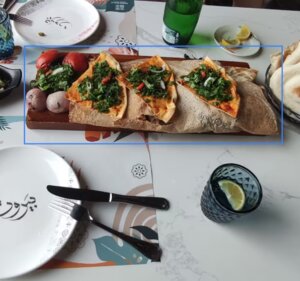
Click Exactly Where You Mean
No more "the thing in the top left." Click the asset, drop your comment right there. Works on images, videos, audio — everything.
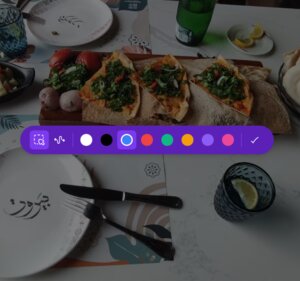
Draw to Show Your Point
Circle the problem area. Draw an arrow. Sketch what you mean. Sometimes a scribble beats a paragraph.
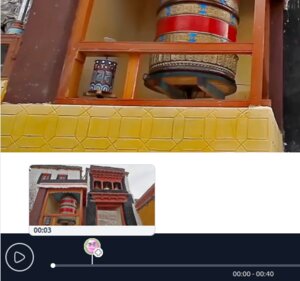
Mark Exact Moments in Video & Audio
"At 0:37, the music is too loud." Click the timestamp, leave your note. No more "around the 30-second mark."
See Who's Active Right Now
Real-time updates. See who's viewing, who's commenting, who just resolved an issue. Like Google Docs, but for your assets.
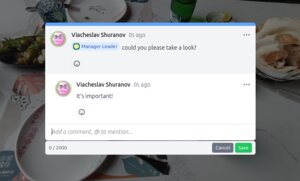
Thread Conversations & @Mention Teammates
Reply to comments. @mention designers when you need their input. Mark resolved when done. Everything stays organized.
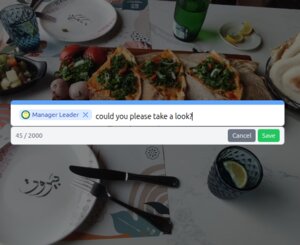
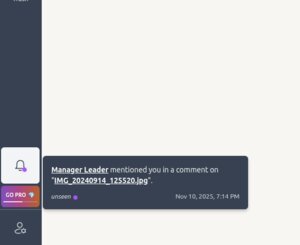
Get Notified Instantly
Someone @mentions you? You get a notification. Click it and jump straight to that comment — from anywhere in the app.
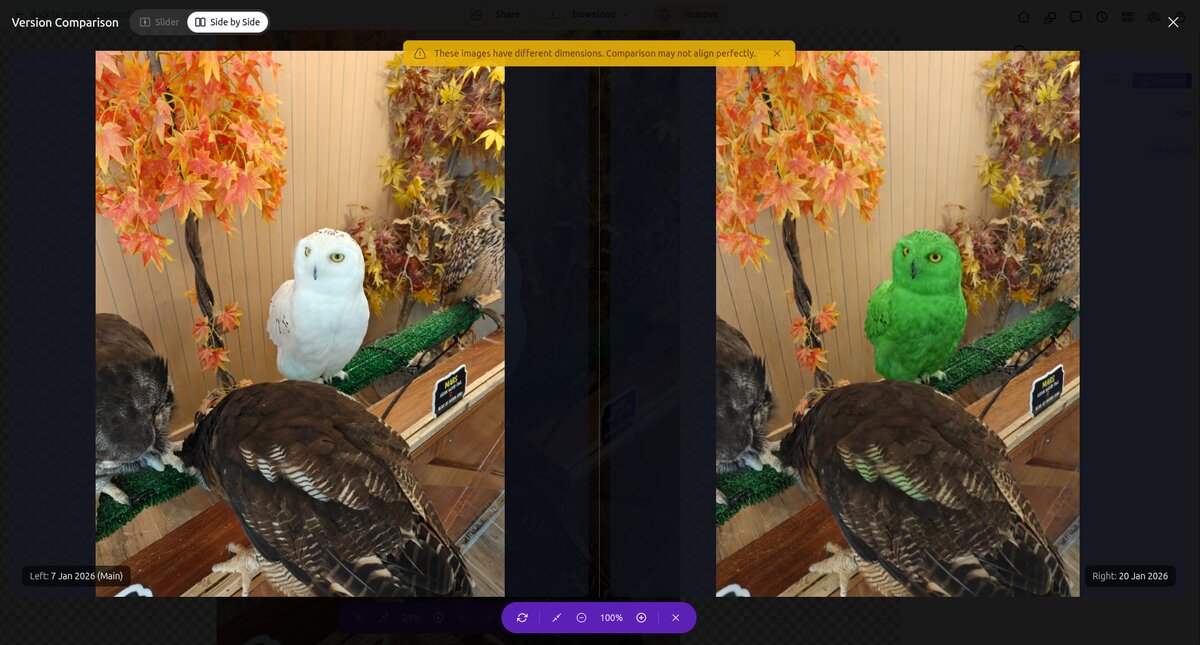
Compare Versions Side by Side
Did the retoucher fix that shadow? Is the new crop better than the old one? Stop guessing. Overlay two versions with a slider or view them side by side with synchronized zoom and pan. See exactly what changed.
Not Just Video. Not Just Design. Everything.
Images (JPG, PNG, WebP, HEIC...)
Click anywhere on the photo to comment
Videos (MP4, MOV, WebM...)
Comment on specific timestamps
Audio (MP3, WAV, FLAC...)
Mark exact moments in the timeline
One tool. All your feedback. No switching apps.
Share With Clients — No Signup Required
Send your client a link. They click it. They comment. That's it. No "create an account," no "download our app," no friction.
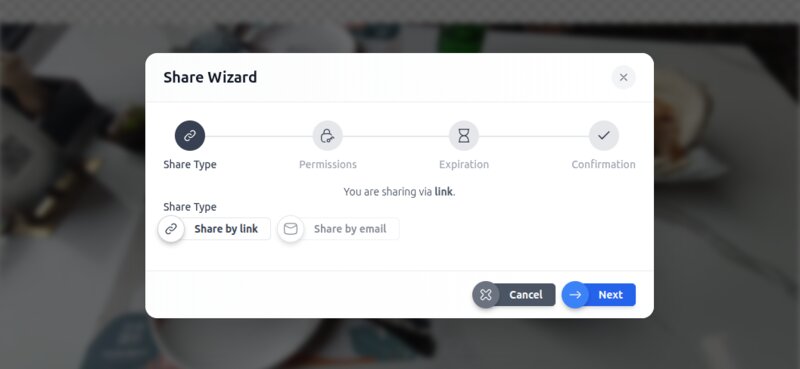
Control what they can do:
- View only (for sensitive work)
- Comment (for active review)
- Download (when you're ready)
If they love it and sign up later? All their comments migrate automatically to their account.
Common Questions
❓ Do clients need to create accounts to comment?
Nope. Share a link with comment permissions. They click and comment. If they sign up later, everything migrates to their account automatically.
❓ Can I control who can resolve comments?
Yes. Set custom permissions per workspace. Viewers can't comment. Commenters can't resolve. Or create your own roles.
❓ Does this work for video?
Absolutely. Comment on specific timestamps. Works with MP4, MOV, WebM, and more.
❓ What about version control?
Every version has its own comments. Upload a new version, and previous feedback stays with the old one. No confusion about "which file are we discussing?" Plus, you can compare any two image versions side by side or with a slider overlay to see exactly what changed.
❓ Can multiple people comment at the same time?
Yes. Real-time collaboration. You'll see others' cursors and comments as they type — just like Google Docs.
❓ Do I get notified when someone @mentions me?
Yes. In-app notifications appear instantly. Click to jump straight to that comment.
❓ Can I attach files to comments?
Not yet, but it's coming soon.
❓ Is there an approval workflow?
Not yet. Right now it's open/resolved status. Formal approve/reject workflows are on the roadmap.
Ready to Stop the Screenshot Chaos?
Start collaborating in real-time. On every asset. With your team and your clients.
Free to start. £5 to scale. Everything included.
See all features →