Blog

Ideas, insights, and stories for creative minds building the future

Buying Your First Creative Ops Tool? Decide This First
GuideJuly 27, 2026 11 min read

Buying Your First Creative Ops Tool? Decide This First

Most guides to creative operations software open with a roundup of ten tools and leave you to guess which of three product categories you even need. This buyer's guide flips the order: first the diagnosis, then the category, then the shortlist. It separates the three things that all get called "creative ops tools" — project management owns the schedule, a DAM owns the asset library, proofing owns the approval record — and prices the fragmented-stack tax you pay when you buy all three separately: manual handoffs, version chaos, no clean compliance record, adoption decay. A bottleneck-to-category table turns your worst symptom into a purchase decision (lost requests means intake, stalled work means routing, spiraling revisions means proofing, lost assets means DAM), followed by the anti-patterns that signal you bought the wrong category, where AI actually earns its keep when tied to a specific stage, and what month one of a real rollout looks like.

Content Operations vs DAM: Where They Meet (and Where Creative Ops Fits)
GuideJuly 24, 2026 15 min read

Content Operations vs DAM: Where They Meet (and Where Creative Ops Fits)

Content operations and digital asset management get pitched as a choice, but they answer different questions: content ops is how content moves from idea to published, a DAM is where the finished asset lives once it stops moving. This category-explainer maps both onto the five-stage content lifecycle, names the three overlap zones where they both reach for the same asset (review and approval, version control, distribution), and pins the real failure point: the in-flight work-in-progress that most DAMs never ingest because they only see the file after approval. Creative ops is the missing third term that bridges the gap — and a Creative Ops DAM collapses the process layer and the asset layer into one surface so there is no seam to fall through. Includes a lifecycle ownership table, an end-to-end asset walkthrough, and a decision framework for which of the three you actually need.

Creative Ops vs Marketing Ops: Where to Split the Org Chart
GuideJuly 8, 2026 12 min read 11 min listen

Creative Ops vs Marketing Ops: Where to Split the Org Chart

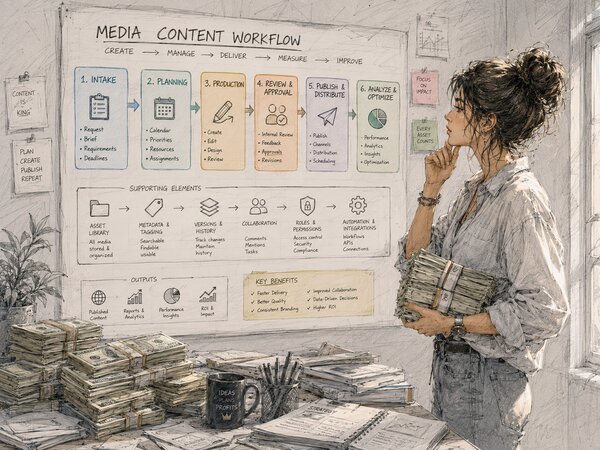
Everyone publishes the creative-ops-vs-marketing-ops comparison table and then tells you to “align.” This guide answers the harder question the title promises: where exactly the line goes on the org chart. The answer — the split belongs at the intake-to-delivery handoff, where a request becomes production work — plus the four-stage creative ops workflow, a reporting-line decision framework built on your chronic failure mode rather than a shrug, the three responsibilities that stay genuinely shared across the seam (forecasting, the SLA, measuring creative’s value), and why the tooling follows the split: a workflow-shaped DAM, not a passive file store.

Creative Operations Investment: What CMOs Approve and What They Push Back On
GuideJuly 4, 2026 9 min read 8 min listen

Creative Operations Investment: What CMOs Approve and What They Push Back On

“We need a DAM” loses the budget meeting; “we need to ship 30% more campaigns this year and the bottleneck is the file system” wins it. This is how to reframe the creative-ops ask as output rather than tooling — what CMOs actually approve (output-per-creative gains, risk and compliance cover, revenue-adjacent speed) and what they push back on (another overlapping platform, soft “efficiency” with no number behind it). Plus the one-slide business case that does the work before anyone opens the appendix, the hours-times-loaded-rate math that defends the line, and what to do when the answer is “not yet” instead of “no.”

Capacity Matrix Template: The One Spreadsheet Creative Ops Managers Open Every Monday
GuideJuly 1, 2026 9 min read 12 min listen

Capacity Matrix Template: The One Spreadsheet Creative Ops Managers Open Every Monday

On most creative teams the capacity plan lives in one person’s head, and it’s wrong in the same way every week — a rush job lands on the designer who is already three deadlines deep while someone filed as “busy” sits with a clear afternoon. The fix usually isn’t a resource-management platform; it’s a single spreadsheet refreshed in about fifteen minutes every Monday. This is that template: one row per team member, one column per week, allocated hours over available hours, with a color band reading off utilization. How to set honest available hours, how to read overload, bottlenecks, and burnout off the grid, and the three frictions that tell you it’s finally time to graduate to a purpose-built tool.