Key Takeaways — brief reading, less than 30 seconds
- A creative bottleneck is one workflow stage where intake exceeds throughput, so a queue builds and everything downstream waits. The system moves only as fast as its slowest stage.
- Diagnose before you fix: map the lifecycle, measure cycle time and WIP per stage, and find where the queue builds. Buying tools or AI before locating the constraint speeds up a stage that was already keeping up.
- The seven, by stage: vague briefs (intake), request chaos (prioritize/route), asset hunting (create), review gridlock and version chaos (review/approve), the single-point-of-failure approver (review/approve), and last-mile resizing (deliver).
- A storage-only DAM fixes asset hunting; a creative ops DAM owns the whole lifecycle — intake, routing, proofing, approval, delivery — so the handoffs between stages become measurable.
- Prove the fix with cycle time per stage, review rounds, on-time delivery rate, asset reuse rate, and time-to-find. Baseline first, re-measure after.
- Sometimes it is genuinely capacity, not process — every stage overloaded at once. No tool fixes that; hire, cut scope, or say no. Measuring first is how you tell the two apart.
Glossary8 terms
- Creative bottleneck: The single workflow stage where incoming demand exceeds throughput, so a queue builds in front of it and every downstream stage waits. A system moves only as fast as its slowest stage.
- Theory of constraints: A management framework holding that any system has one limiting constraint at a time; improving anything other than the constraint does not improve overall output.
- Cycle time: How long a request stays in a given workflow stage before moving to the next. The stage with the longest cycle time is the first place to look for the constraint.
- Work-in-progress (WIP): The number of requests parked in a stage at one moment. WIP piles up in front of the constraint, which makes it a visible tell for locating a bottleneck.
- Creative ops lifecycle: The path every request walks: intake, prioritize and route, create, review and approve, version and finalize, deliver. Each bottleneck maps to a point on this path.
- Single source of truth: One authoritative place where the current, approved version of every asset lives, so no one has to guess which file is final or recreate one that already exists.
- Creative ops DAM: A digital asset management system that is also the workflow layer — intake, routing, proofing, approval, and delivery live alongside the assets, not in separate tools.
- Capacity problem: When every stage is overloaded at once, not just one. A headcount issue that workflow tooling cannot fix; the answer is staffing or scope, not software.
Editor's note: The survey numbers in this article come from a 2020 industry survey, and the rest are working operator estimates. None are guarantees. Your team’s actuals vary by size, stack, and how many approvers sit in the chain. Measure your own cycle time before you trust anyone’s benchmark — including ours.
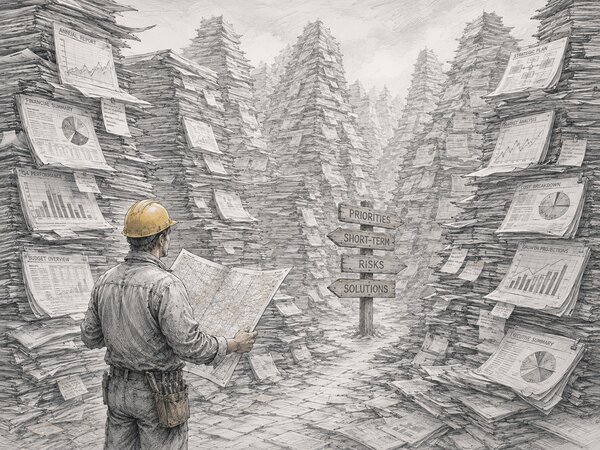
Factory engineers have an old trick for finding the bottleneck without reading a single report: walk the line until you hit the biggest pile of work-in-progress. The machine right after that pile is your constraint. Everything upstream is feeding a queue; everything downstream is starved and idle. Creative teams have the same physics. The pile is just less visible: it’s a Slack channel of unanswered briefs, a folder of files waiting on a third reviewer, a designer refreshing an inbox for sign-off that hasn’t come. Find the pile and you’ve found the creative bottleneck.
This article names seven choke points that keep stalling creative teams and ties each one to a specific stage of the creative ops lifecycle. Because “we’re slammed” isn’t a diagnosis. The fix for a brief problem is nothing like the fix for an approval problem, and buying more automation before you know which stage is choking just adds tooling to a queue that was never the issue.
What a Creative Bottleneck Actually Is (and How It Differs from Being Understaffed)#
Borrow the definition from the theory of constraints: a bottleneck is the single stage in a workflow where demand exceeds throughput. Work arrives faster than that stage can clear it, so a queue forms in front of it, and every stage after it waits. The whole system moves only as fast as its slowest stage — which means improving any stage except the constraint doesn’t improve overall output. You can double your designers’ output, but if everything still funnels through one overloaded approver, the campaign ships on exactly the same day.
That’s the distinction worth getting right, because it determines whether tooling helps you at all. A capacity problem is when every stage is overloaded at once. That’s a headcount problem, and no workflow tweak fixes it; you need people. A bottleneck is when one stage is the choke point and the rest have slack. In the teams we work with, most that say “we’re slammed” actually have the second problem. Work piles up in one specific place, and if you relieve that one place, the slammed feeling lifts across the whole creative workflow.
The frame for the rest of this article is the creative ops lifecycle, the path every request walks: intake → prioritize and route → create → review and approve → version and finalize → deliver. Each of the seven bottlenecks below lives at a named point on that path. Name the stage and the fix follows; skip the diagnosis and you’re just buying tools and hoping.
How to Find Your Real Bottleneck Before You Fix Anything#
Map your lifecycle end to end and mark every handoff: intake to triage, triage to designer, designer to reviewer, reviewer to approver, approver to delivery. The handoffs are where queues form. Work doesn’t pile up mid-task; it piles up between people, while it waits for the next person to pick it up.
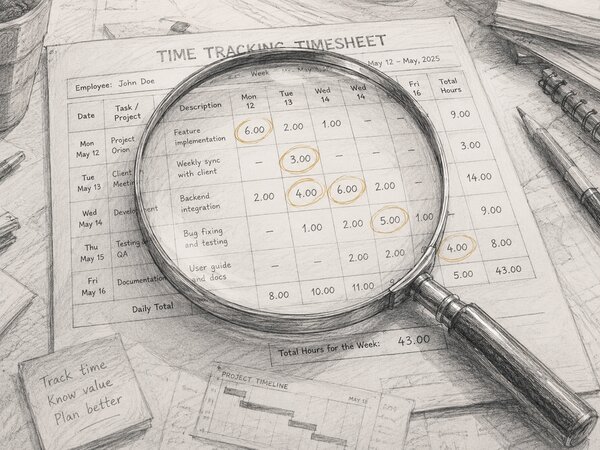
Then measure two numbers per stage: cycle time (how long a request sits in that stage before moving on) and work-in-progress (how many requests are parked there right now). Work piles up in front of the constraint, so the stage with the longest queue and the longest dwell time is your bottleneck. You don’t need a fancy analytics suite for this — a week of honest timestamps on ten requests will point straight at it.
If you can’t measure yet, the symptoms map cleanly to stages. “Designers keep asking the same questions twice” is an intake problem: the brief didn’t carry enough to start. “We’re on version nine and nobody knows which is final” is a review and version problem. “Everything waits on one person” is a single-point-approval problem. The trap is treating the symptom: buying an automation tool or a fast AI generator before you’ve located the constraint just speeds up a stage that was already keeping up. The queue stays exactly where it was.
Bottlenecks 1 & 2 — Intake and Routing: Vague Briefs and Request Chaos#
The first two bottlenecks live at the front door, before a single asset gets made. Bottleneck one is the vague or incomplete brief. A request lands missing the goal, the audience, the specs, or the deadline, and the designer can’t start — so they fire off a clarifying question, wait a day for the answer, and either stall or guess. Guessing produces work that bounces back, which means a round of rework that should never have existed. The cost isn’t one delay; it’s hours lost to back-and-forth on every half-defined request.
Bottleneck two is request chaos with no triage. Briefs arrive through Slack, email, a hallway conversation, and a direct message to whoever the requester happens to know, and nothing prioritizes them. The urgent and the trivial compete as equals, the loudest requester wins regardless of business value, and work gets lost in inboxes entirely. The marketing team ends up doing the wrong thing first not because anyone decided to, but because no one decided at all.
The fix for the first is a structured intake form with required fields — goal, audience, format and specs, deadline, source assets — so nothing can start half-defined. If a field is blank, the request isn’t ready, and the form says so before it reaches a designer. We wrote a full creative brief template on exactly which fields earn their place; the short version is that a good brief is the cheapest delay-prevention you can buy.
For request chaos, the answer is a single front door plus routing. Every request enters one queue, gets captured, prioritized against the others, and assigned, instead of scattering across inboxes where it competes on volume rather than value. The point isn’t bureaucracy; it’s that triage lets you do the highest-value work first on purpose.
Bottleneck 3 — Asset Hunting and Duplication (No Single Source of Truth)#
This one stalls the create stage. A designer needs the approved logo, the current brand font, last quarter’s hero image. Instead of finding them, they go hunting through nested drives, an old email thread, and two people’s DMs before giving up and recreating the asset from scratch. Multiply that across a team and the cost is brutal: in our experience, recreating assets that already exist somewhere is one of the biggest silent time sinks on a creative team. A 2020 Ziflow survey (archived)(opens in new tab) found 30% of marketing leaders didn’t have a way to see all their campaign assets and their status in one place. Duplicate work isn’t a quirk; it’s a structural symptom of having no single source of truth.
The fix is a centralized DAM with rich metadata and search, so the latest approved asset is one query away instead of one excavation. This is the classic case for digital asset management. But tie it to throughput, not just tidiness. A clean library isn’t the goal; the goal is that nobody’s creative time leaks into asset archaeology. The metadata is what makes that work, which is why the taxonomy you tag against matters as much as the storage itself; search only returns the asset if the asset was findable to begin with.
The second half of the fix is brand-controlled libraries and templates, so “on-brand” becomes the path of least resistance rather than a rule people remember to follow. When the approved assets are the easy ones to grab, brand consistency stops being a policing problem and becomes the default. That’s the quiet payoff of treating brand assets as a managed library instead of a shared folder: the right file is also the nearest file.
Bottlenecks 4 & 5 — Review/Approval Gridlock and Version Chaos#
For most teams, this is the big one. Bottleneck four is review and approval gridlock. Sign-offs run in serial when they could run in parallel; feedback scatters across email, Slack, and a shared doc; and conflicting comments from three reviewers leave the designer guessing whose note wins. The numbers around this are grim, and they’ve been grim for years: in Ziflow’s 2020 survey data(opens in new tab), 51% of marketers said numerous or last-minute revisions slowed delivery times.
Bottleneck five is version chaos — the “which file is final” problem. The same 2020 dataset(opens in new tab) found 52% of marketing teams cycled through three to five versions of an asset before it was finalized. When those versions live as final, final-v2, and final-FINAL-use-this across scattered drives, the team loses time just confirming which one ships. Occasionally the wrong one goes out, which is the most expensive mistake on this whole list.
The fix for review is in-context proofing: feedback lands on the asset itself, as an annotation pinned to the exact pixel, not as a paragraph in the sixth email of a thread. Then move reviews in parallel instead of serial, and consolidate them into one round with a clear owner who resolves conflicts. Surface an explicit approval status, so “done” is a state the system records, not a thing someone vaguely remembers saying. We went deep on this in our piece on the design approval process; the headline is that consolidating reviewers into one owned round removes more days than asking anyone to work faster.
The fix for version chaos is real version control for designers: one asset, a stacked history of its versions, and an approval flag that marks exactly one of them as current. When review and approval live inside the same system as the assets, the approved version becomes the single source of truth automatically, with no separate “final files” folder to keep in sync. The asset, its feedback, its versions, and its sign-off are one object, not four tools you reconcile by hand.
Bottleneck 6 — The Human Single Point of Failure#
Every team has one: the person who holds the brand knowledge in their head, or who owns every final approval, or both. While they’re at their desk, things move. The day they’re on a flight, on vacation, or out sick, the whole creative workflow stalls: nothing ships because the one node it all routes through is offline. This looks like a people problem, but it’s a process bottleneck wearing a person’s face. The constraint isn’t that they’re slow; it’s that the system has exactly one path through them.
The first fix is to get the knowledge out of the one head and into the system: document the brand rules, build the templates, and write down the approval criteria. The standard becomes legible to anyone, not locked in one person’s judgment. The second is to delegate and tier the approvals: routing rules that send routine work to a reviewer who’s empowered to sign off, and escalate only the genuinely sensitive pieces to the senior approver. Sign-off stops being a single gate and becomes a graph with more than one valid path. This is one of the quieter reasons the creative operations manager role exists: somebody has to own the meta-view that turns “ask Maria” into a documented, routable process.
Bottleneck 7 — Delivery and the Last-Mile Resize#
The last bottleneck hits at the delivery stage, after the work is approved and everyone assumes it’s done. Then the asset has to ship to twelve places — six social formats, three ad sizes, a web hero, an email header, a print version — and someone resizes and repurposes each one by hand. The creative is finished; the campaign still isn’t out, because the last mile is a manual production process that nobody scheduled. For teams pushing to multiple channels at speed, this final stage quietly becomes the slowest one.
Templatize and automate the last mile. Master assets with defined crop and format rules generate the size variants instead of a designer rebuilding each by hand, and an automated render or export step produces the channel-specific files on demand. The make-time was spent on the idea; the delivery shouldn’t cost a second creative pass. When repurposing is a setting rather than a task, the gap between “approved” and “live” collapses from days to minutes. That gap is pure delay you were paying for nothing.
The Seven Bottlenecks, Mapped to the Lifecycle#
Here are all seven in one view — the bottleneck, the lifecycle stage where it stalls, the symptom you’ll recognize, and the operational fix. Read it as a diagnostic: find your loudest symptom, and the stage and the fix are in the same row.
| # | Bottleneck | Lifecycle stage | Symptom you’ll recognize | The fix |
|---|---|---|---|---|
| 1 | Vague / incomplete briefs | Intake | Designers ask the same questions twice; work bounces back | Structured intake form with required fields |
| 2 | Request chaos, no routing | Prioritize / route | Loudest requester wins; urgent and trivial compete equally | Single front door + triage and routing |
| 3 | Asset hunting & duplication | Create | Hours lost hunting; teams recreate assets that exist | Centralized DAM with metadata search |
| 4 | Review / approval gridlock | Review / approve | Feedback scattered across email and Slack; serial sign-offs | In-context proofing, parallel review, one round |
| 5 | Version chaos | Version / finalize | “final-FINAL-v2”; nobody knows which file ships | Version control + explicit approval flag |
| 6 | Single point of failure | Review / approve | Everything stalls when one person is out | Document brand rules; tiered, delegated approvals |
| 7 | Last-mile delivery crunch | Deliver | Approved but not live; manual resize for every channel | Templated, automated resizing and export |
What Bottlenecks Actually Cost#
The visible cost is the missed launch window: the campaign that shipped after the moment it was meant to catch. The hidden costs run deeper. Rework eats budget twice: once to make the wrong thing, once to make it right. Asset duplication burns make-time on files that already exist. And the human cost is burnout: a team that loses hours every week chasing feedback and recreating lost files is a team grinding on overhead instead of doing creative work. Brand inconsistency is the cost that outlives the campaign: every off-brand asset that escaped because the approved one was too hard to find is a small, permanent tax on the brand.
None of these show up on a single line in a budget, which is exactly why they persist.
“We’re just really busy” is what a bottleneck sounds like before anyone measures it.
The point of instrumenting cycle time per stage is to convert that vague busyness into a number you can put in front of a stakeholder. “Our approval stage adds six days to every campaign” gets a process change funded in a way that “we feel slammed” never will.
Where a Creative Ops DAM Fits#
Most of the fixes above point at the same place, so it’s worth being precise about what kind of tool they need. A storage-only DAM is a tidy file cabinet: it solves bottleneck three (asset hunting) and helps with version chaos. But it leaves intake, routing, review, approval, and delivery exactly where they were: scattered across forms, inboxes, and email threads. You centralize the files and feel organized, while five of your seven bottlenecks sit untouched.
A creative ops DAM is the single source of truth and the workflow layer: intake, routing, proofing and approval, and delivery all live in the same system as the assets. That’s the difference that matters for bottlenecks, because the constraints aren’t in any one stage; they’re in the handoffs between stages. A system that owns the whole lifecycle is the only one that can instrument those handoffs. When the request, the file, the feedback, the version, and the sign-off are one object instead of five tools, the queues between stages become visible, measurable, and fixable. If you’re evaluating tools, our guide to choosing a DAM walks through how to tell a storage-only product from a workflow one before you sign anything.
Metrics to Prove the Fix Worked#
Fixing a bottleneck without measuring it is just a hunch. These are the KPIs that turn “feels faster” into evidence, and they double as your early-warning system: the metrics that tell you whether a fix actually moved the needle, not just whether it felt good to ship.
- Cycle time per stage. The headline number. How long a request dwells in each stage before moving on. The stage with the longest cycle time is your prime suspect — and watching it shrink after a fix is the proof that the fix landed.
- Number of review rounds. Track the average rounds to final. Every round you shave off that average is a direct hit on your biggest choke point.
- On-time delivery rate. The percentage of requests that ship by their committed date. The outcome metric stakeholders actually care about: everything else is the explanation behind this one number.
- Asset reuse rate. How often an existing asset is found and reused versus recreated from scratch. A rising reuse rate is the measurable death of bottleneck three.
- Time-to-find. How long it takes someone to locate a specific approved asset. Sample it occasionally; if it’s creeping up, your taxonomy or your search is degrading before the asset-hunting bottleneck fully returns.
Baseline these before you change anything, then re-measure a month after. The before-and-after is the whole argument: it tells you whether you fixed the constraint or just moved it one stage downstream. Moving it is exactly what happens when you genuinely relieve a bottleneck, and it’s a good problem to have.
When It’s Capacity, Not Process — and Tooling Won’t Fix It#
Here’s the part the vendor pitches leave out, because it doesn’t sell software. Sometimes the bottleneck isn’t a process problem at all: it’s genuinely a capacity problem, and no amount of workflow tooling will fix it. If you map your lifecycle, measure cycle time per stage, and find that every stage is backed up — intake buried, designers maxed, reviewers underwater, delivery behind — you don’t have a bottleneck. You have too much work and too few people, and the honest answer is to hire, cut scope, or say no to requests. A DAM will make that team more organized; it will not make four people do the work of six.
The tell is uniform overload. A bottleneck is a queue in one place with slack on either side of it; a capacity problem is queues everywhere at once. The reason to run the diagnosis first is precisely so you don’t buy a tool to solve a headcount problem. The reverse mistake is just as common: hiring two people to solve a process problem that a structured intake form and parallel reviews would have fixed for the cost of a config change.
Our experience is that most teams who feel slammed have a single choke point, which is good news: choke points are cheap to fix once you can see them. But if yours genuinely doesn’t, the most useful thing this article can do is tell you to stop shopping for software and have the harder conversation about scope and staffing. That honesty is the whole point of measuring before you fix.
Frequently Asked Questions #
What is a creative bottleneck?
How do I find my creative team’s bottleneck?
What are the most common creative bottlenecks?
Can a DAM fix creative bottlenecks?
How do I measure whether the fix worked?
What if tooling does not fix it?