Key Takeaways — brief reading, less than 30 seconds
- Content operations is the process discipline for moving content idea-to-published; a DAM is the system of record for finished assets. They meet at the asset but aren't a choice between two options — you need both.
- Creative ops is the missing third term: the in-flight production layer (intake, briefing, review, approval, delivery) that bridges the process and the repository.
- They overlap at three lifecycle stages — review/approval, version control, and distribution — and the handoffs between those stages are where versions and approvals get lost.
- The gap: most DAMs only ingest the asset after approval, so the entire in-flight workflow has no home in the system of record. Work-in-progress lives in the cracks between four tools.
- A Creative Ops DAM collapses the operations layer and the asset layer into one system, so there's no seam to fall through — stronger than "they should integrate."
- Decision rule: content ops tooling for movement problems, a DAM for storage problems, a Creative Ops DAM when the handoffs between them are the problem.
Glossary7 terms
- Content operations: The discipline of aligning people, process, and technology to move content from idea to published across the full content lifecycle. A way of working, not a single product.
- DAM: Digital asset management — the centralized system that stores, organizes, governs, finds, and distributes finalized digital assets using metadata, permissions, and rights tracking.
- Creative ops: Creative operations — the in-flight production layer that runs intake, briefing, review, approval, and delivery. It manages work-in-progress rather than just finished files.
- Content lifecycle: The five stages a piece of content moves through: plan and intake, create, review and approve, distribute, and optimize or archive.
- Work-in-progress (WIP): Assets still being made — briefs, drafts, comps, rough cuts, and review threads — as opposed to finalized assets ready for the repository.
- Creative Ops DAM: A DAM built around the creative ops workflow, so the operations layer and the asset layer are one system — owning both the in-flight work and the finished archive, with no handoff between them.
- Single source of truth: One authoritative place where the current, approved version of an asset lives, so everyone is working from the same file instead of scattered copies.
Editor's note: This is a category-explainer from our founder, written for the person trying to figure out which tool bucket they actually need. It’s opinionated about where the two categories fail to meet — because that gap is the whole reason we built YetOnePro the way we did. Numbers are working estimates as of early 2026; your actuals will vary.
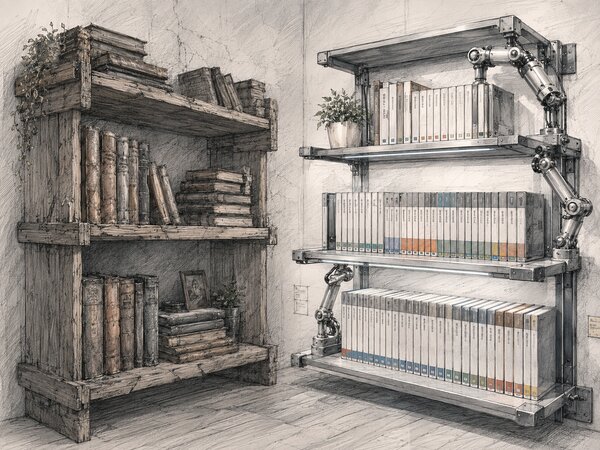
I keep two whiteboards in my head when I think about how a marketing team moves work. The left one is a flowchart — brief, draft, review, approve, ship. The right one is a shelf — rows of finished files, neatly labeled, ready to grab. The flowchart is content operations. The shelf is a DAM. Most of the confusion I see in “content operations vs DAM” conversations comes from treating those two boards as the same board. They are not. One describes how content moves; the other describes where it lives once it stops moving.
There is a third board people forget, and it sits between the other two: the in-flight production layer. That’s where briefs, drafts, comps, and review threads actually live while a piece of content is being made. That layer is creative ops, and it’s the piece this comparison usually skips — which is a shame, because it’s exactly where the handoff between process and storage breaks down.
The thesis, stated plainly: content operations and digital asset management meet at the asset, they’re complementary rather than competing, but the seam between the process and the repository is where versions get lost, approvals go missing, and off-brand files slip out the door. That gap is what a Creative Ops DAM is built to own. The rest of this article walks through what each category actually is, where they overlap, where they don’t, and how to decide which one you need.
Content Operations vs DAM: The Short Answer#
Content operations is a discipline. It’s the alignment of people, process, and technology that moves a piece of content from idea to published — the planning, the assignment, the review rounds, the approvals, the distribution. A DAM, or digital asset management system, is a thing you can log into. It’s the centralized platform where finished digital assets are stored, organized with metadata, governed by permissions, found by search, and distributed to the channels that need them.
The fastest way to keep them straight: content operations is a verb, a DAM is a noun. People ask “content operations vs DAM” as if you have to choose, but that framing is wrong from the start. You don’t pick between the process and the warehouse — you need both, and the interesting question is what happens in the space between them.
That gap is where the third term earns its place. Creative ops is the in-flight production layer that sits between the process and the repository — the workflow that carries an asset from intake to delivery while it’s still work-in-progress. If content ops is the operating model and the DAM is the system of record, creative ops is the engine room where the actual making and approving happens. Keep all three in view and the rest of this gets a lot clearer.
What Content Operations Actually Is#
Content operations is the operating model a marketing team uses to produce and ship content at scale without every deadline turning into a scramble. A useful working model breaks the content lifecycle into five stages: plan and intake, create, review and approve, distribute, and optimize or archive — though teams draw the lines differently, and some split planning, publishing, and measurement further. Content ops is the discipline that keeps work flowing across all five — deciding who owns what, when a piece moves to the next stage, and how the team avoids the bottlenecks that stall a content creation process.
The important thing to understand is that content ops is not a product you buy. It’s a way of working, and most teams run it across a patchwork of tools: a project management board for the work, a brief in a doc, a spreadsheet tracking status, a proofing app for review, an inbox for approvals, and a content management system (CMS) at the end to publish. The content strategy lives in one place, the schedule in another, the comments in a third. That sprawl is normal — and it’s also the root of most of the pain content ops exists to solve.
What pain? Bottlenecks where a draft sits waiting for a reviewer nobody assigned. Unclear ownership, where two people each assume the other is handling the legal pass. Missed deadlines because the approval lived in someone’s inbox over a long weekend. Inconsistent quality, because the brand check happened — or didn’t — depending on who touched the file last. None of these are creative problems. They’re operations problems, and they’re getting worse, not better.
The part that surprised me: AI made content creation fast — drafting copy, generating variations, and producing first-pass images are no longer the bottleneck. But routing, approval, and version control didn’t keep pace. The constraint moved from production to operations. In our experience, only a minority of teams have a workflow they’d honestly call standardized; the rest are still moving work by hand, hoping nothing falls through. The content management problem of 2026 isn’t making more — it’s moving what you make through the lifecycle without losing it.
What a DAM Actually Is#
A DAM system is the centralized platform that stores, organizes, governs, finds, and distributes your finalized digital assets. If you’ve never set one up, our primer on what digital asset management is covers the basics; here I’ll keep it to the core capabilities that matter for this comparison.
- Findability. Search and filtering over thousands of files, powered by metadata and increasingly by AI tagging, so people stop recreating work they can’t locate.
- Version control. A single source of truth for which file is the current, approved one — no more
final_v3_REALLY-final.psd. - Brand governance. Permissions, usage guidelines, and controls that keep the wrong file from going out and protect brand consistency across every channel.
- Rights and usage tracking. Knowing which assets you’re licensed to use, where, and until when — the kind of image rights management that keeps legal calm.
- Distribution. Serving the approved file to the channels, partners, and people who need it — the handoff at the end of the line.
The reason DAM platforms exist is simple and a little depressing: assets scatter. They end up across drives, inboxes, Slack threads, and three different cloud folders, and then people can’t find them. The cost of that is well documented: in a 2019 M-Files survey of 1,500 office workers, 83% said they’d recreated a document they couldn’t find (as reported by Documill(opens in new tab)). Centralizing the shelf in a DAM is how teams cut that kind of duplicate work — when adoption, metadata, and governance are actually in place. If you’re weighing options, our guide on how to choose a DAM walks through the evaluation.
Now the honest scope boundary, because it sets up everything that follows. Traditional DAM platforms are strong on finished assets and weaker on in-flight work. Some add proofing, review, or portal features — but at the core they’re built to be the warehouse for what’s done, the system of record after approval. Most are not, by default, where the brief gets written, the draft gets routed, or the review happens. That boundary is exactly the gap. (If you’re sorting DAM from its cousins, our DAM vs MAM vs PAM breakdown helps.)
Where They Meet: The Shared Content Lifecycle#
The cleanest way to see the overlap is to lay the content lifecycle down once and map both onto it. Content ops owns the movement through the stages; the DAM owns the asset at certain stages. They touch the same asset, just at different moments — and the moments where they both reach for it are the contested seams.
| Lifecycle stage | What content operations owns | What the DAM owns |
|---|---|---|
| Plan & intake | Briefs, requests, assignment, scheduling | Nothing yet — asset doesn't exist |
| Create | Drafting, resourcing, work-in-progress | Reference files, brand assets pulled in |
| Review & approve | Routing, feedback rounds, sign-off | Proofing, annotation, version of record (overlap) |
| Distribute | Channel decisions, timing, scheduling | Serving the approved file (overlap) |
| Optimize & archive | Performance review, reuse decisions | Metadata, search, governance, the archive |
Overlap zone one is review and approval. Content ops claims this stage as the heart of the workflow — routing the draft, collecting feedback, getting sign-off. DAM-adjacent proofing tools also claim it, because annotation and approval are how an asset earns the right to enter the repository. This is the most contested seam in the whole picture, and it’s no accident that the design approval process is where so many teams feel the most friction.
Overlap zone two is version control. Content ops cares about which draft — is this the copy the reviewer commented on, or the one after? The DAM cares about which final — is this the approved master, or a superseded cut? Both are version control, but they’re tracking different things, and the handoff between “latest draft” and “approved final” is precisely where versions get lost. We went deep on this in our piece on version control for designers.
Overlap zone three is distribution. Content ops decides the channel and the timing — this goes to the blog Tuesday, that to the partner portal Thursday. The DAM serves the approved file to those channels. For this to work, both sides have to agree on a single word: approved. If the process thinks a file is approved and the repository is serving a different version, you publish the wrong thing across multiple channels at once.
The consensus here — and it’s correct as far as it goes — is that content ops and DAM are complementary, not competing. The process needs a place to store finished work; the storage needs a process to feed it good, approved files. Fine. But complementary tools still leave seams between them, and each one is just a place where work slips through. Saying “they integrate” doesn’t close that gap — it names it.
Where They Don’t Meet: The Gap Between Process and Storage#
Now the distinction that usually gets raised and then abandoned: work-in-progress versus finished assets. Creative assets that are still being made — briefs, drafts, comps, rough cuts, review threads — live in one world. Finalized assets live in the DAM. Some people split these into “creative asset management” for the in-flight stuff and digital asset management for the finished stuff. The split is real. What almost nobody does is resolve it.
Why does the split matter so much in practice? Because most DAM platforms only ingest the asset after it’s approved. The entire approval journey — intake, routing, the review rounds, the legal pass, the back-and-forth — happens outside the DAM, in project management tools and email and chat. The repository only ever sees the finished file. So the most failure-prone part of the whole lifecycle, the in-flight middle, has no home in the system that’s supposed to be your source of truth.
That handoff is the failure point, and the costs are not abstract. Off-brand content ships when the wrong version slips past the boundary — in the teams we work with, an outdated or unapproved file makes it out the door more often than anyone likes to admit, and the burnout that comes from chasing assets across four tools is just as real. Approval bottlenecks form because the approval lives in a tool the repository can’t see. And time evaporates in the search for the right file — the recreating-work problem all over again.
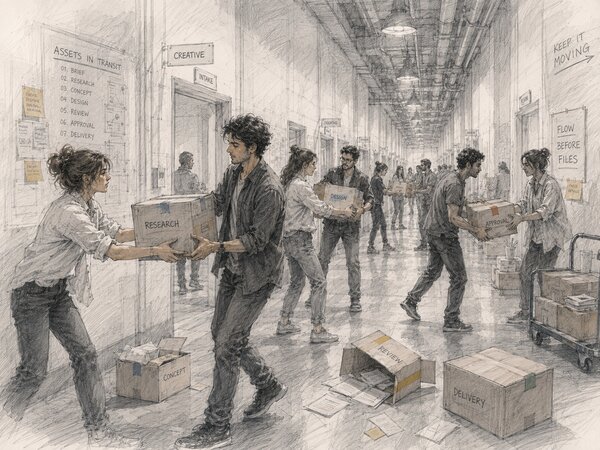
Underneath all of it is stack sprawl. Walk the typical setup: a PM tool for the work, a proofing tool for review, a set of file shares for the in-progress files, and a DAM for the finished archive. That’s four systems and four handoffs. Each one is a place where a version, an approval, or a comment thread can fall through. The more boundaries, the more falls. I’ve watched teams add a fifth tool to “fix integration” and end up with five places to fall through instead of four.
Name it plainly, because the industry rarely does: few traditional systems own the in-flight workflow and the finished archive in one place. Content ops tooling owns the movement but not the asset. The DAM owns the asset but not the movement. The work-in-progress that connects them — the most fragile, most contested, most expensive-to-lose part — lives in the cracks. That’s the whole problem.
Where Creative Ops Fits#
Creative operations is the function that runs the production engine: intake, briefing, resourcing, review and approval, delivery. It’s the discipline of managing work-in-progress, not just storing finished files — and it’s usually owned by a dedicated role. If you want the job in detail, we wrote about the creative operations manager and what the role actually does day to day. Creative ops is the bridge that competitors gesture at with their “two sides of a bridge” and CAM-versus-DAM framing but never finish building. They describe the bridge. They don’t pour the deck.
The reason creative ops is the natural bridge is that it touches both ends. It starts at intake — the brief, the request, the assignment — which is upstream of the process. And it ends at delivery — the approved, packaged, handed-off asset — which is exactly what the DAM wants to ingest. A team that runs creative ops well is already carrying the asset across the gap by hand. The question is whether the system carries it for them, or whether the ops manager is the human glue between four disconnected tools.
This is where I get to be honest about why we built YetOnePro the way we did. We didn’t set out to make another shelf. We set out to make the operations layer and the asset layer the same system — a Creative Ops DAM, where the intake form, the routing, the annotation, the approval, the delivery, and the finished archive all live in one platform. Not a DAM with a project-management bolt-on, and not a workflow tool with a storage bucket attached. One system that owns the in-flight work-in-progress and the finished asset, so there’s no seam left to fall through. When the same platform watches the brief become a draft become an approved master, there’s far less room to lose the version.
I’ll say the contrarian part out loud, because it’s the whole bet: “they should integrate” is the wrong goal. Integration is two systems with a pipe between them, and the pipe is the seam. My bet is on collapse instead — make the process and the repository the same surface, so the asset never has to be handed across a boundary in the first place. That’s a stronger position than “our DAM has a good API,” and it’s the one I’d defend.
One Asset, End to End#
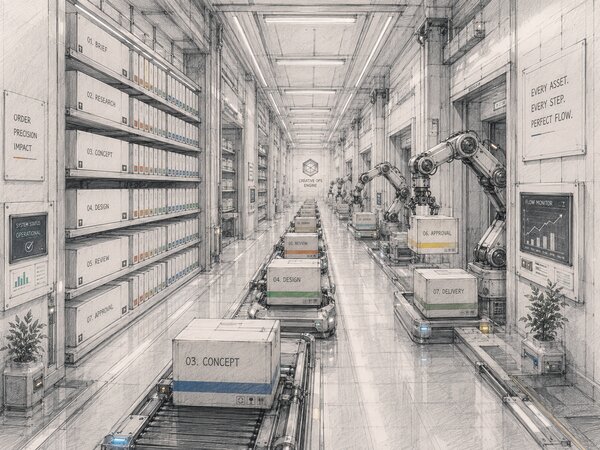
Abstractions are easy to nod along to, so let me walk a single asset through the full path — the way it moves when the operations layer and the storage layer are one system instead of four.
- Intake. A request comes in through an intake form, not a Slack DM and not a forwarded email. The brief, the deadline, the channel, and the brand it’s for are captured up front. (Our creative brief template is the shape of what good intake captures.)
- Routing and assignment. The request is assigned to a maker and a reviewer the moment it lands. No draft sits in a no-man’s-land waiting for someone to notice it.
- Review and annotation. The draft is reviewed in place — comments and visual annotations land on the file itself, in the same system, with no export to a separate proofing app and re-import afterward.
- Approval. Sign-off happens on the same asset the reviewer commented on. “Approved” is a state on the file, visible to everyone, not a sentence buried in an inbox.
- Delivery and handoff. The approved file is delivered to the channel or the client — the same approved version everyone signed off on, served straight from the system that approved it.
- Archive. The finished asset is already in the repository, with its metadata, its version history, and its approval trail attached. There’s no separate “upload to the DAM” step, because it never left.
Notice what didn’t happen in that walkthrough: no export, no re-import, no “which version is final,” no hunt for the approval. The asset moved through the entire content lifecycle without crossing a single tool boundary. That’s the difference between integrating two systems and collapsing them into one.
Which Do You Actually Need?#
Tool categories are abstract; budgets are not. This is the decision framework I’d give a marketing team or brand lead trying to spend money once and spend it right.
You need content ops tooling first when your problem is movement, not storage — when work stalls between stages, ownership is fuzzy, and you can’t see what’s in flight. If your finished files are already fine but your process is a mess, start by standardizing the workflow before you buy a warehouse.
You need a DAM first when your problem is the shelf, not the process — when people can’t find assets, recreate work constantly, ship off-brand files, or have no governance over rights and permissions. If your process is fine but your finished assets are scattered across drives, centralize the archive first. (If you’re escaping shared drives specifically, we wrote about moving from Google Drive to a DAM.)
You need a Creative Ops DAM when the gap itself is your problem — when the pain isn’t the process alone or the storage alone, but the handoffs between them. If versions get lost between “approved” and “published,” if the in-flight work has no home, if you’re running a PM tool plus a proofing tool plus file shares plus a DAM and the handoffs are where things break — that’s the case for collapsing the two layers into one. You stop paying the integration tax and stop being the human glue.
One honest caveat: a Creative Ops DAM is not magic, and it won’t fix a team that hasn’t decided who owns what. The tool collapses the seams; it doesn’t invent your process for you. You still need the discipline of content ops — the planning, the assignment, the brand standards. What the platform changes is that the discipline runs on one surface instead of bleeding across four. That’s the realistic claim, and it’s the one I’ll stand behind.
If you’re mapping your current setup before you decide, a creative asset audit is the cheapest way to see where your assets and approvals actually live today — and where the seams are hiding.
Frequently Asked Questions #
What is the difference between content operations and a DAM?
Is a DAM part of content operations?
Where does creative ops fit between content ops and DAM?
What is a Creative Ops DAM?
Do I need both content ops tooling and a DAM, or can one replace the other?
Why do versions get lost between content ops and a DAM?